A private record of what you pay for.
KlikSubs is a subscription tracker, not a payment app. It never connects to your bank and never asks for a login. Your plans, prices, notes, and attachments live in a local database on your phone. That makes the app fast, usable offline, and private by default.
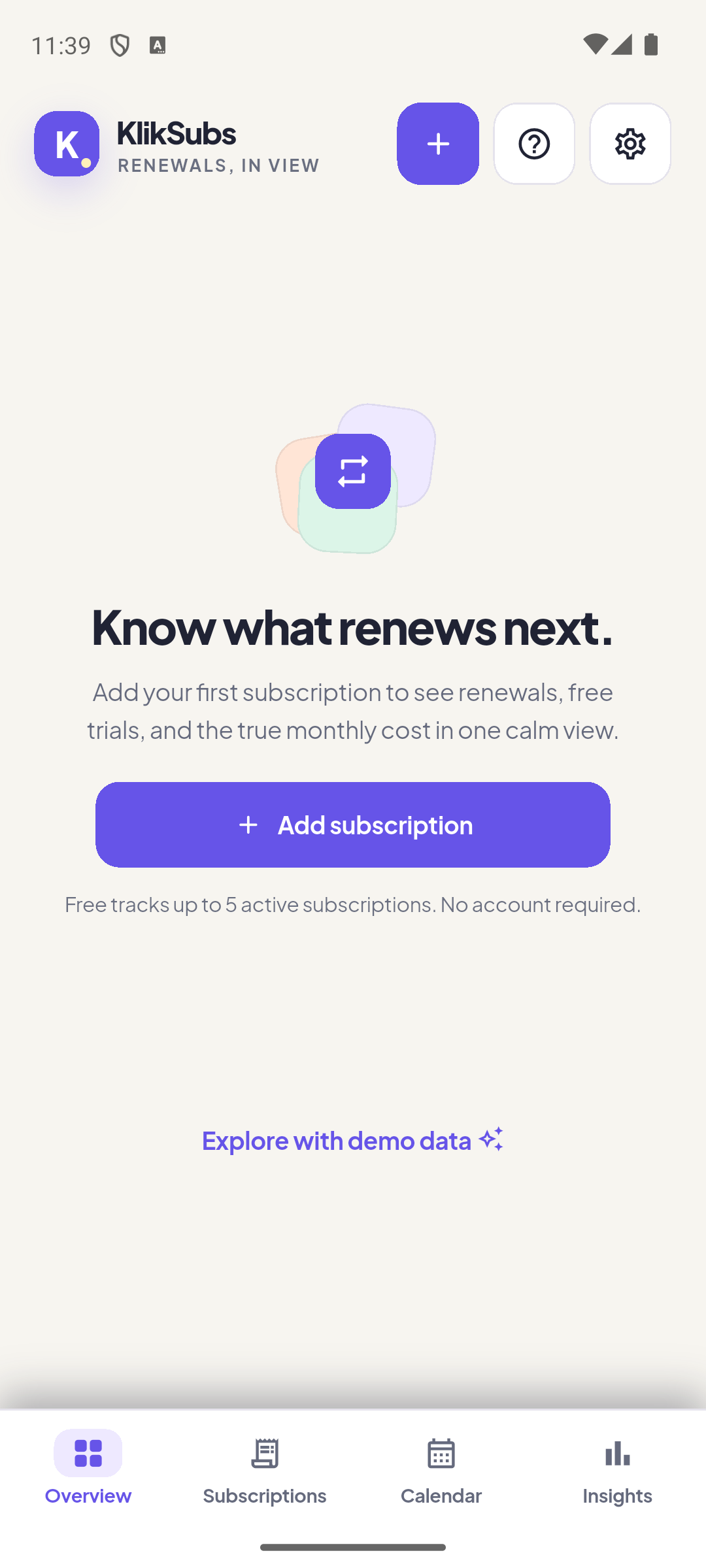
Local-first
SQLite is the source of truth. No account, no sync server, no mandatory network.
OS-scheduled reminders
Notifications are scheduled by the operating system, not by a background timer.
Honest currency math
Original amounts are kept. Missing rates make a total partial — never 1:1, never zero.
Your first five minutes
- Add one plan. Tap the + button, enter a name and amount, then pick the next billing date.
- Read the hero card. Monthly equivalent normalizes every cycle to one month. Due this month counts only what is scheduled this calendar month.
- Open the Calendar. Every expected charge, trial end, and cancellation deadline appears on its civil date.
- Turn on notifications. In Settings, allow device notifications and, on Android, exact alarms if available.
- Add the rest. Free tracks up to five active subscriptions. Pro removes the limit.
Two numbers that are easy to confuse.
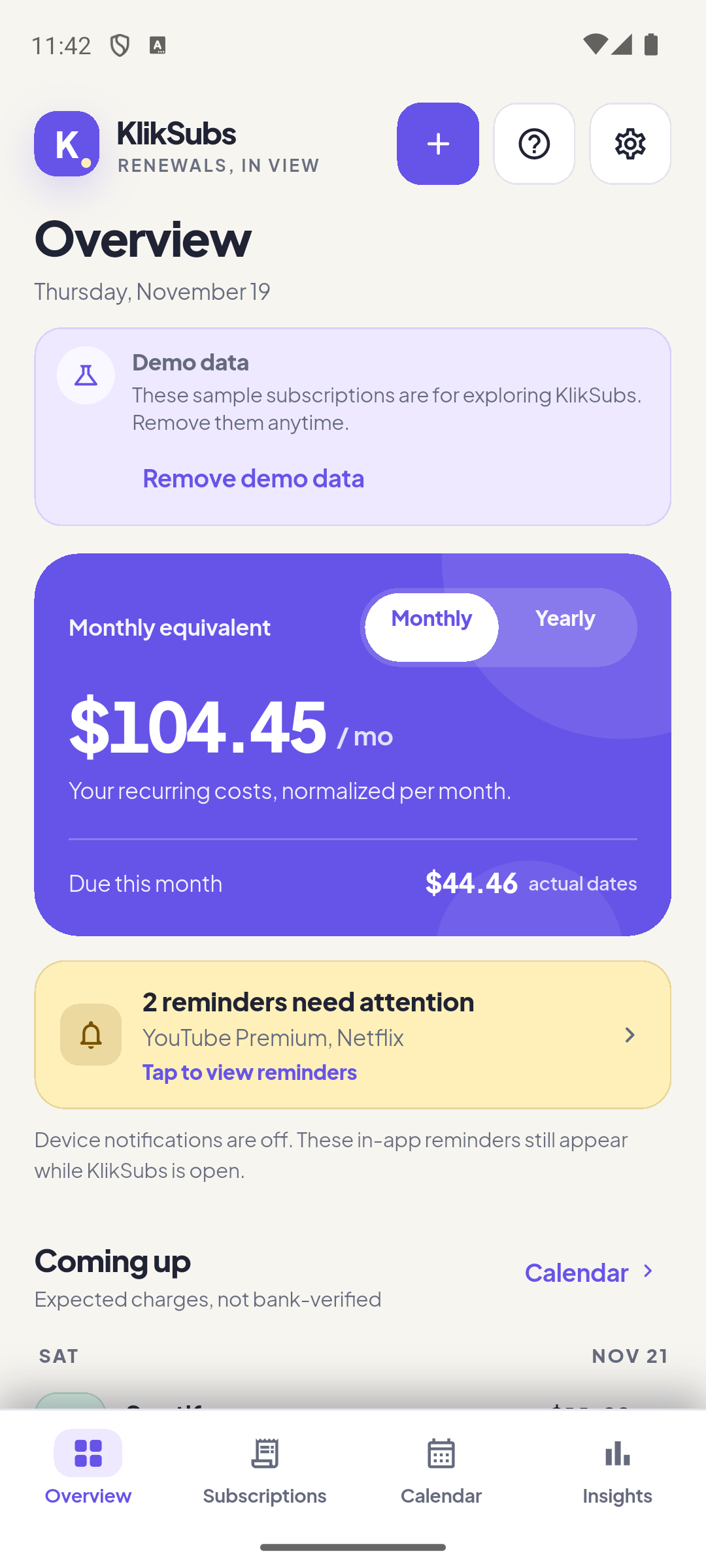
The Overview is the app’s home. The hero card shows the number most trackers get wrong: monthly equivalent is not the same as due this month. One normalizes every cycle; the other counts only charges scheduled in the current month.
| Element | What it means | Example |
|---|---|---|
| Monthly equivalent | Every active and trial plan, normalized to one month. Weekly, quarterly, yearly, and custom cycles are converted. It is a run-rate, not a bill. | $104.45/mo |
| Due this month | Only charges scheduled in the current calendar month. A yearly plan that renews in March contributes nothing here in November. | $44.46 |
| Yearly toggle | Multiplies the current prices by twelve. It is a projection, not a contractual commitment. | $1,253.40/yr |
| Partial total note | Someone’s currency has no rate. The total is deliberately incomplete and labelled. | “Partial: 1 currency missing” |
| Estimated | The total includes a converted amount. The original amount is untouched. | €15.49 → $16.92 |
Coming up
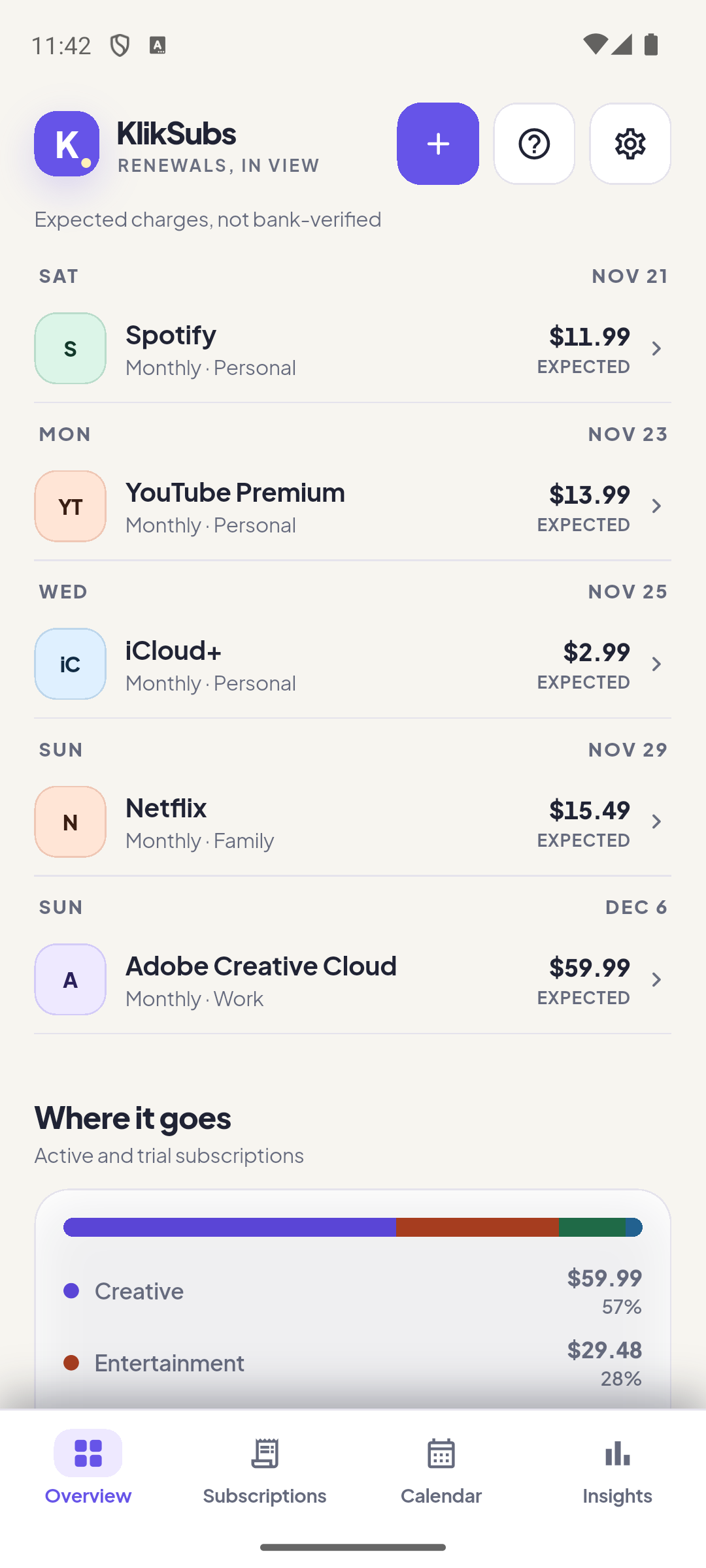
The next five expected payments, grouped by date. Rows carry the service color, the cycle, the group, the original amount, and an Expected label. A payment is always expected until you record it. KlikSubs never marks a charge as paid on its own.
Where it goes
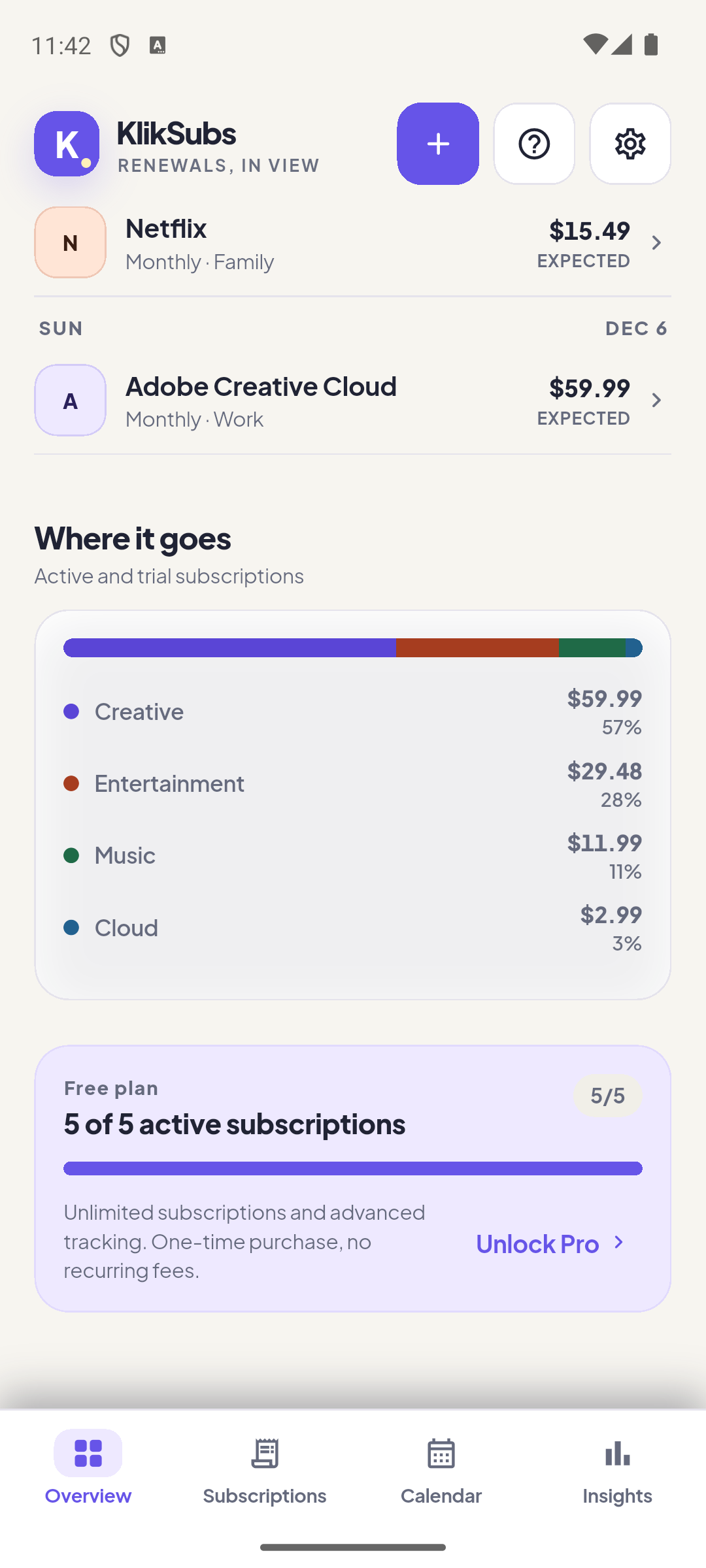
The category bar and rows show the share of your monthly equivalent. Percentages are based on the same normalized figure as the hero card, so weekly and yearly plans are comparable. Below it, the plan card shows how many active subscriptions Free covers.
One form, nine sections, every field optional except two.
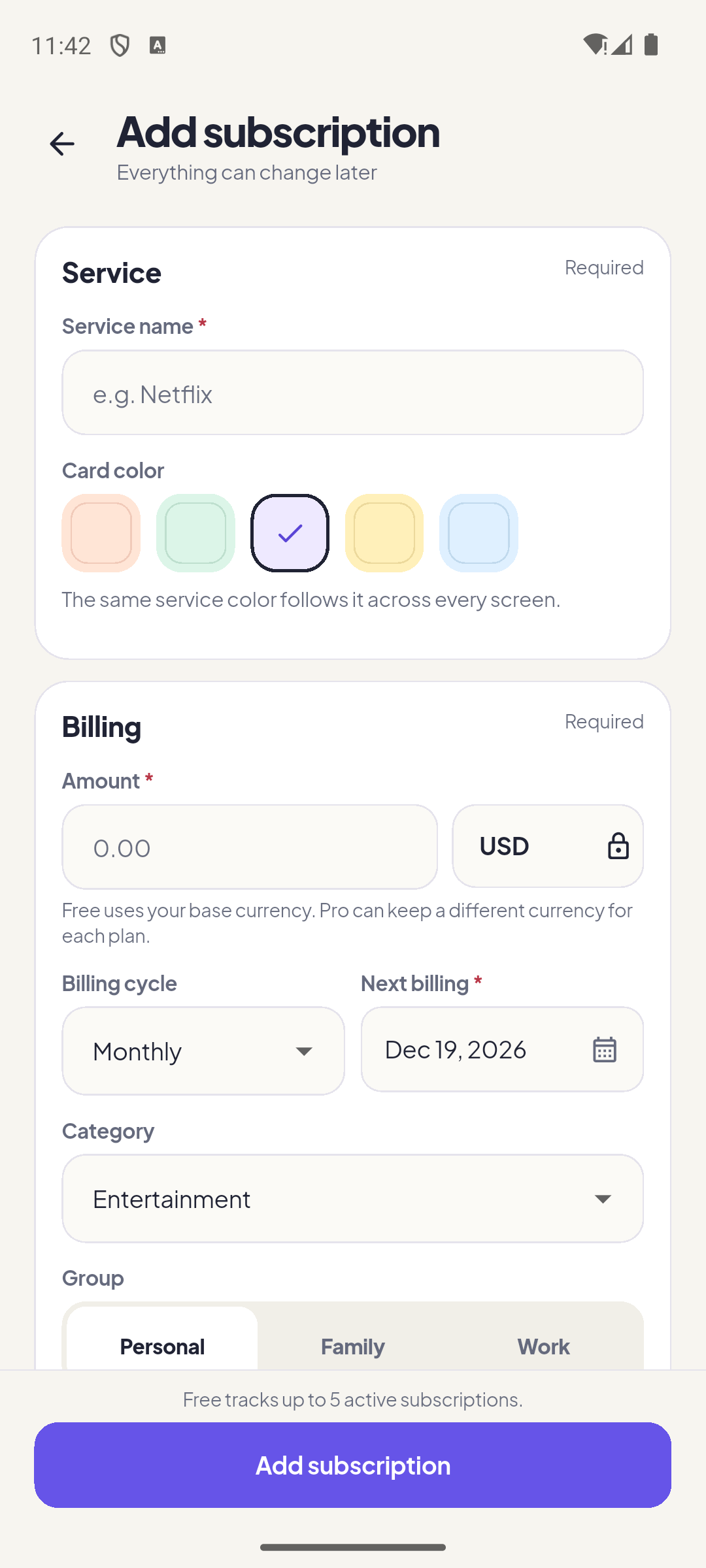
Only service name, amount, and next billing are required. Everything else can be added later. The form is long on purpose: it is the single place where a subscription’s terms live.
Service
| Field | What to enter | Notes |
|---|---|---|
| Service name Required | The plan’s name, e.g. “Netflix”. | Used on cards, detail, calendar, and reminders. |
| Card color | Peach, mint, violet, yellow, or sky. | The same tone follows the service across the app. |
| Amount Required | The price in the plan’s own currency. | Must be greater than zero. Money is stored in minor units, never floating point. |
| Currency | The currency the provider bills in. | Free uses the base currency. Pro can keep a different currency per plan. |
| Billing cycle | Weekly, monthly, quarterly, yearly, or custom months. | Custom cycles use a whole number of months. |
| Next billing Required | The next expected charge date. | Civil date. End-of-month anchors are preserved. |
Category, group, payment method, status
| Field | What it does |
|---|---|
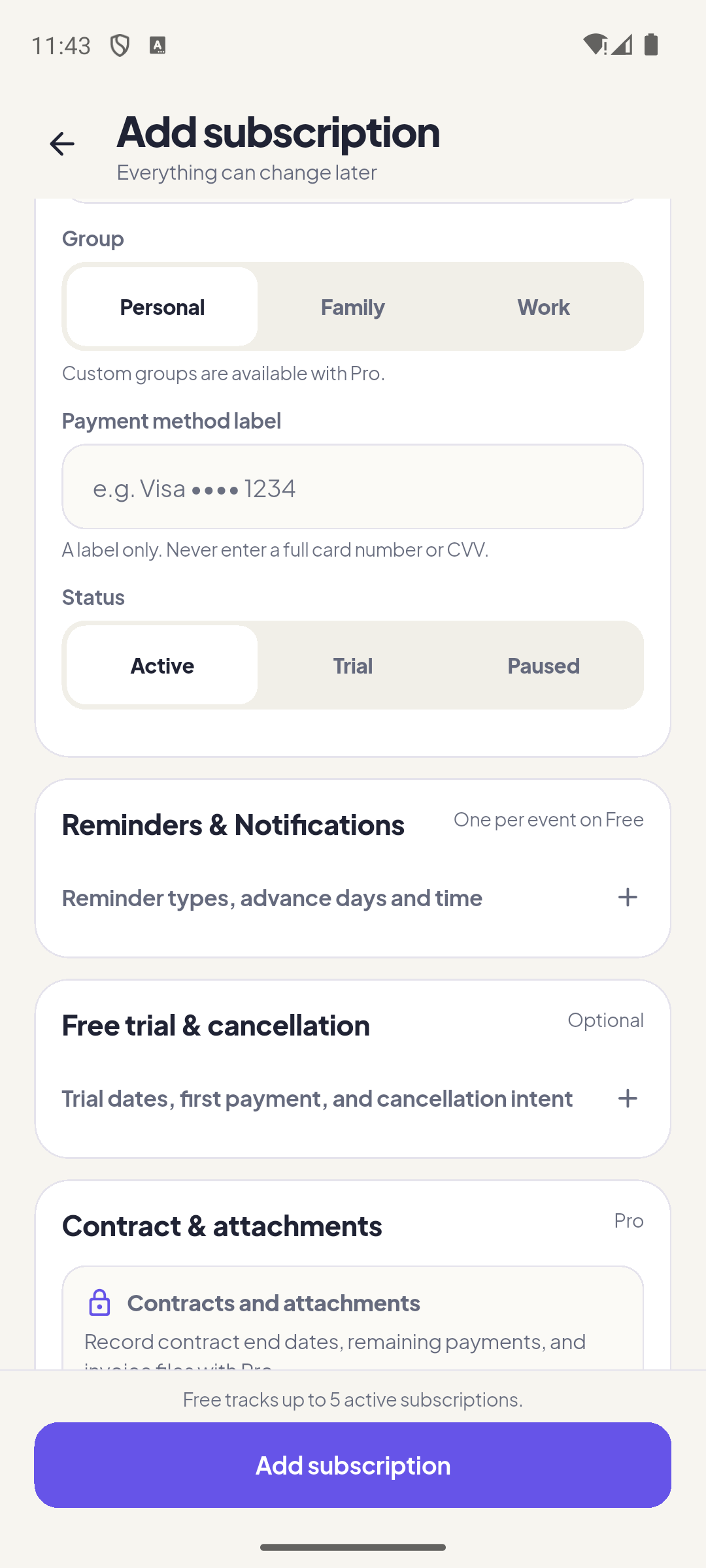
| Category | Feeds the “Where it goes” mix and the category filter. Custom categories are a Pro feature. |
| Group | Personal, Family, Work, or a custom group. A custom group replaces the selected standard group. |
| Payment method label | A label only, such as “Visa •••• 1234”. Never enter a full card number or CVV. The app validates and rejects long digit strings. |
| Status | Active, Trial, Paused, or Cancelled. Paused and cancelled plans stop contributing to active totals. |
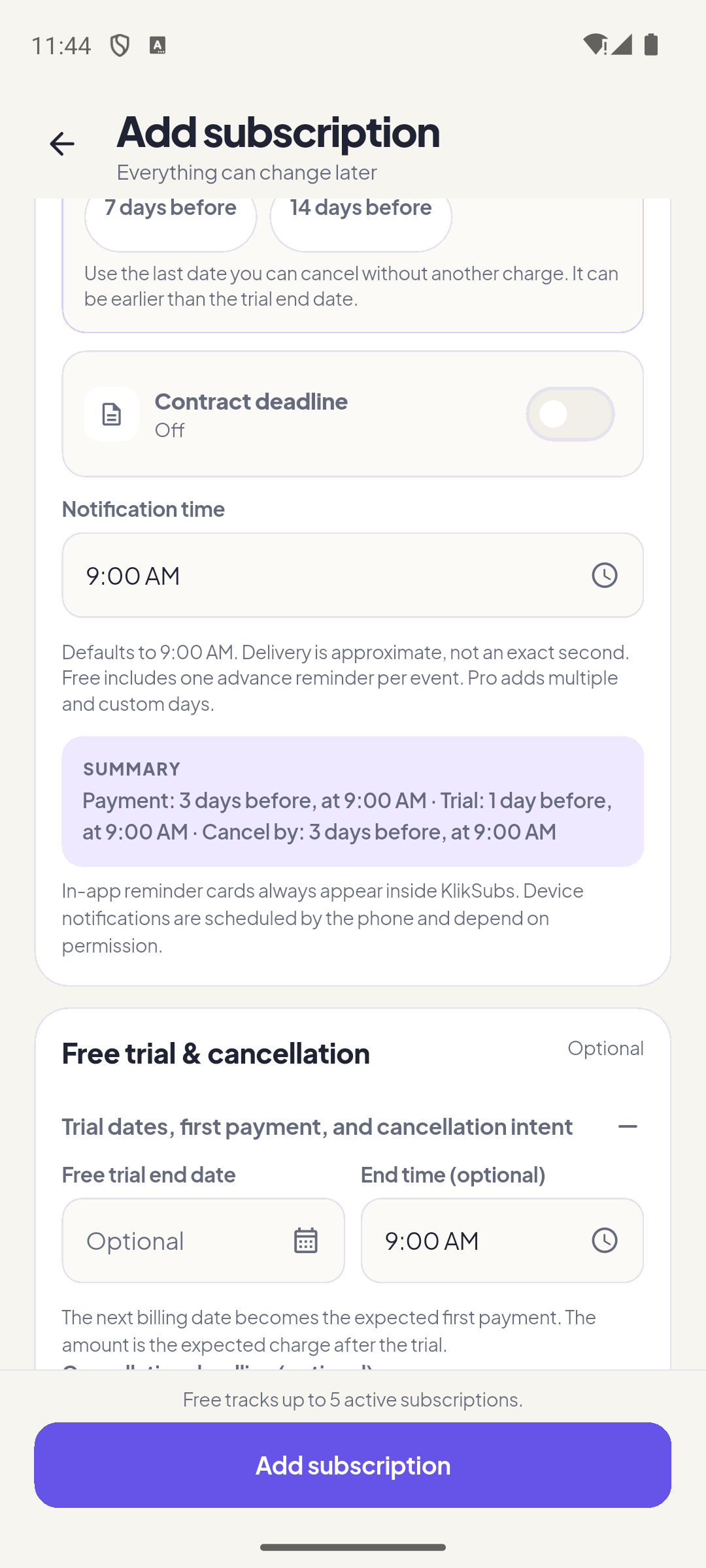
Reminders
| Reminder field | What it does |
|---|---|
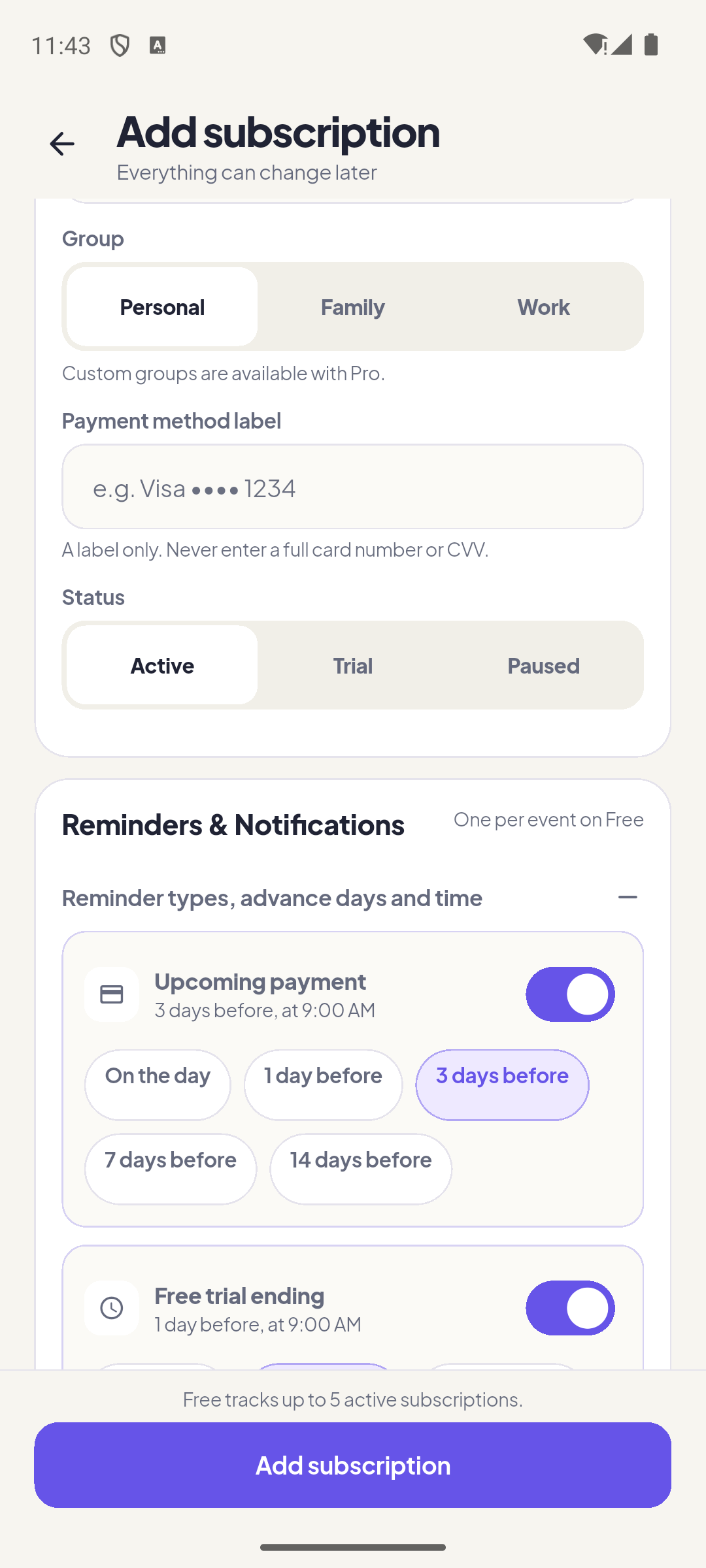
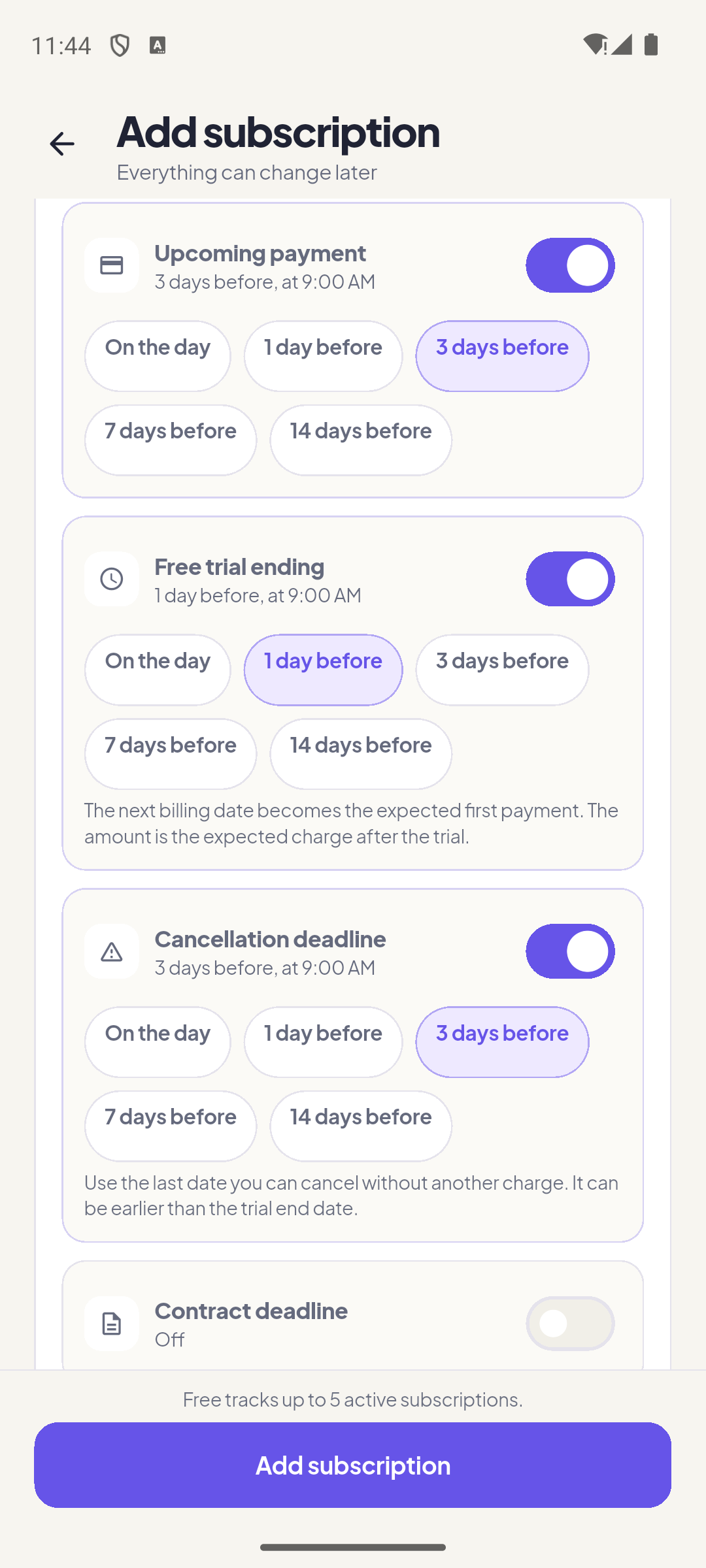
| Reminder type | Upcoming payment, trial ending, cancellation deadline, or contract end. |
| Advance days | 0, 1, 3, 7, or 14 days before, plus custom days with Pro. Free includes one advance reminder per event. |
| Notification time | The local time used for the device alert. Delivery is approximate; Android may batch or delay it. |
| In-app cards | Always appear inside KlikSubs, even when device permission is missing. Device notifications are a separate layer. |
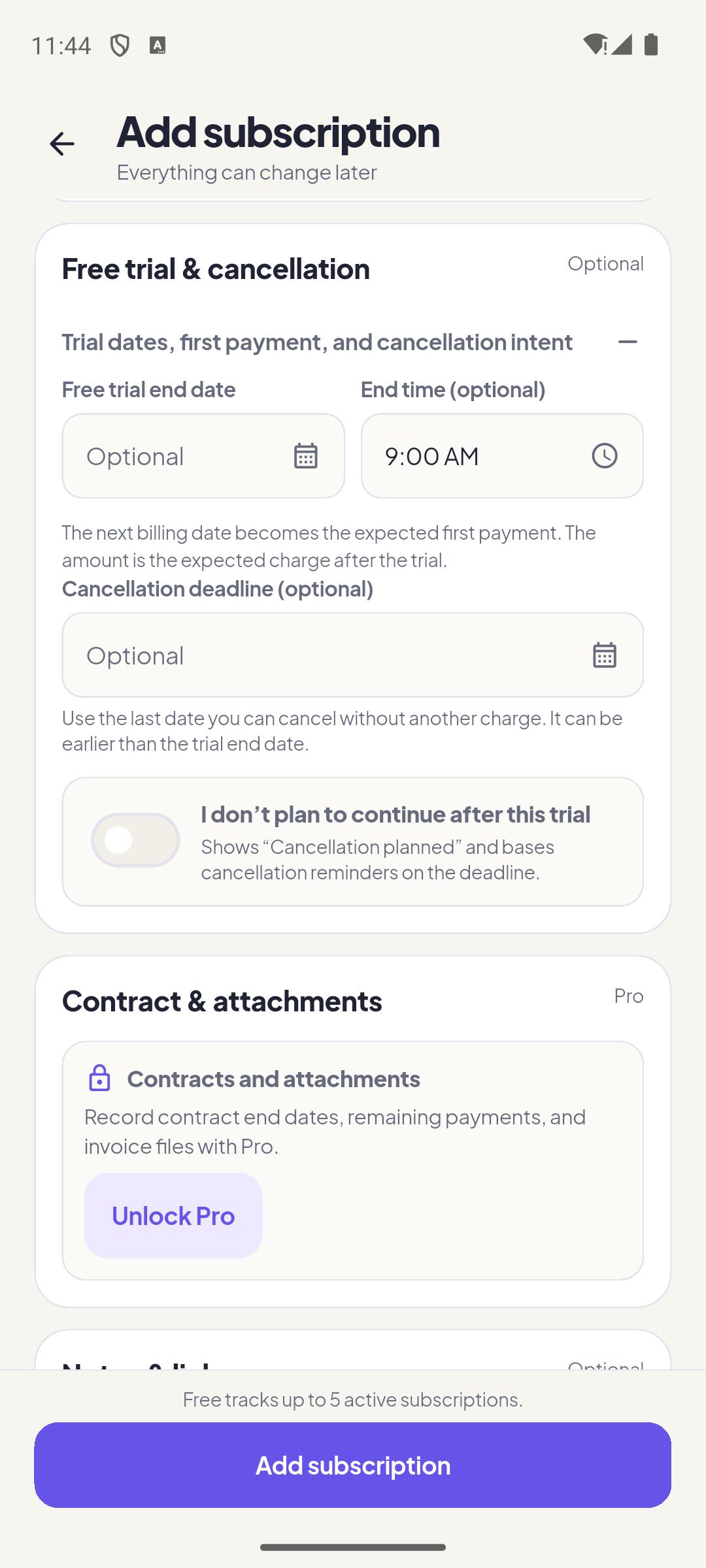
Free trial & cancellation
| Field | What it changes |
|---|---|
| Free trial end date | Switches the schedule to “trial ends, then first payment”. The next billing date becomes the expected first payment. |
| End time | Optional local time for the trial end. |
| Expected amount after trial | The charge you expect when the trial converts. |
| Cancellation deadline | The last date you can cancel without another charge. May be earlier than the trial end. |
| I don’t plan to continue | Marks “Cancellation planned” and bases cancellation reminders on the deadline. KlikSubs still does not cancel with the provider for you. |
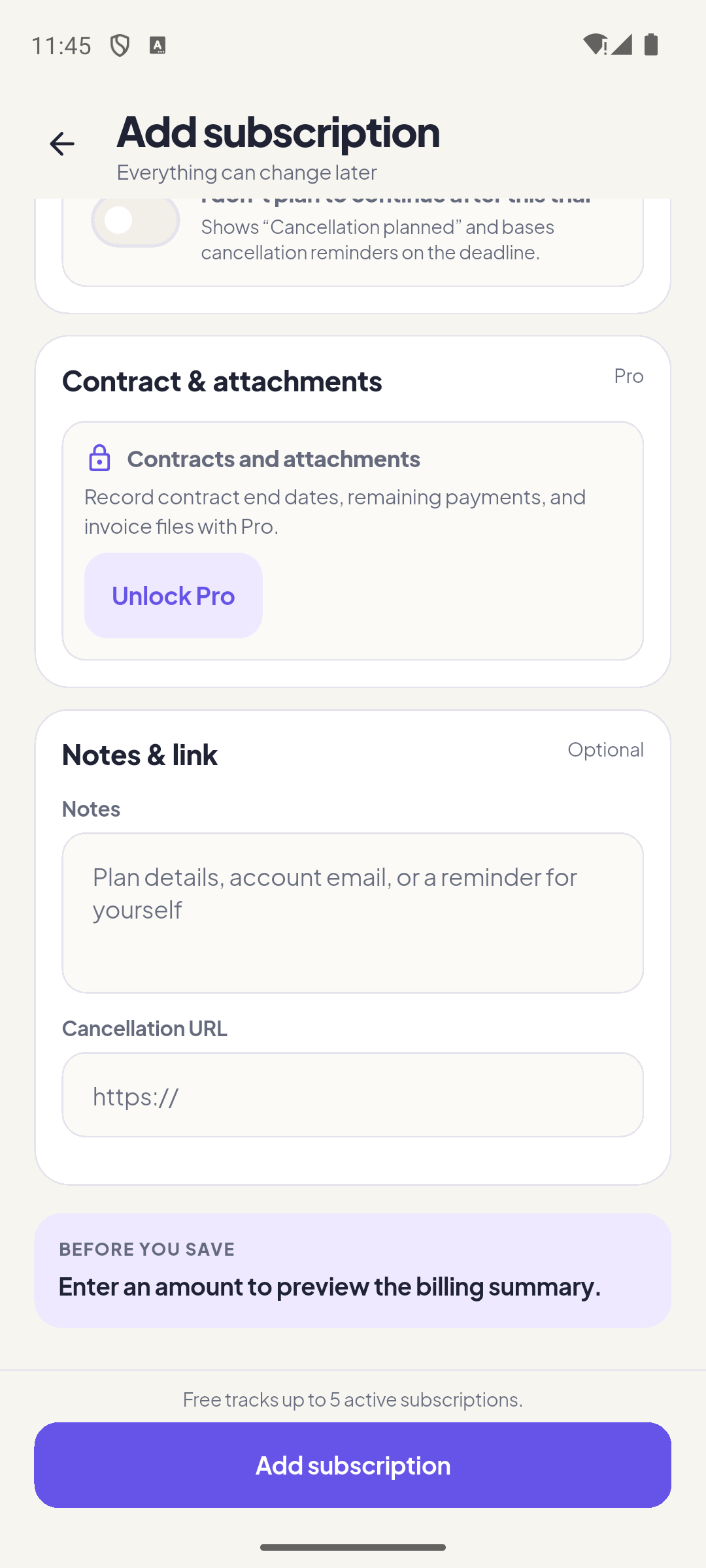
Contract, attachments, notes, and link
| Field | What it does |
|---|---|
| Contract end date Pro | Records the end of a minimum term so it can appear on the calendar and in Insights. |
| Remaining payments Pro | A whole number you supply. KlikSubs does not infer it from the billing cycle. |
| Invoice or contract Pro | Copies a PDF, image, or document into app storage. Picker cache paths are never stored. |
| Notes | Plan details, account email, or a reminder for yourself. |
| Cancellation URL | A full http(s) link to the provider’s cancellation page. Opened outside the app. |
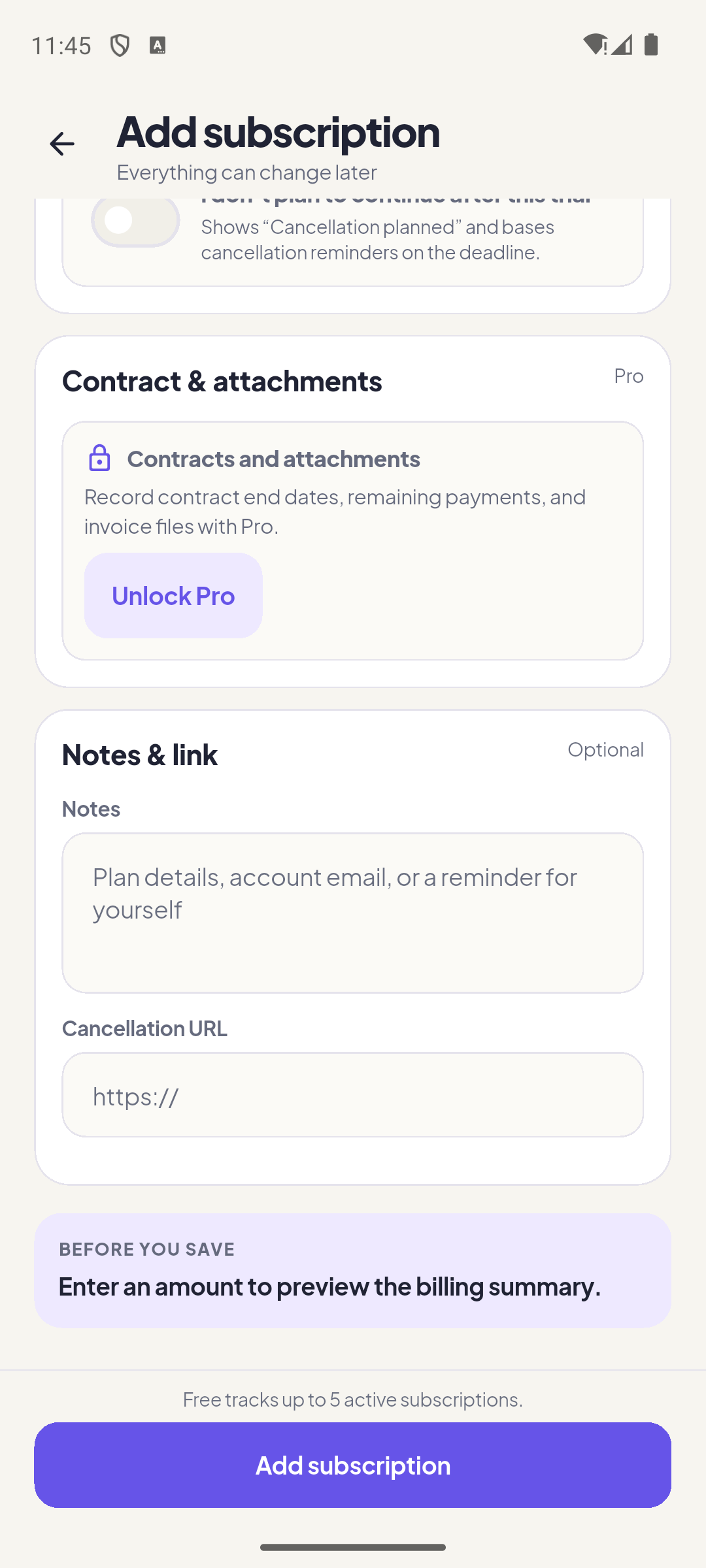
Before you save
Find a plan, then read its whole story.
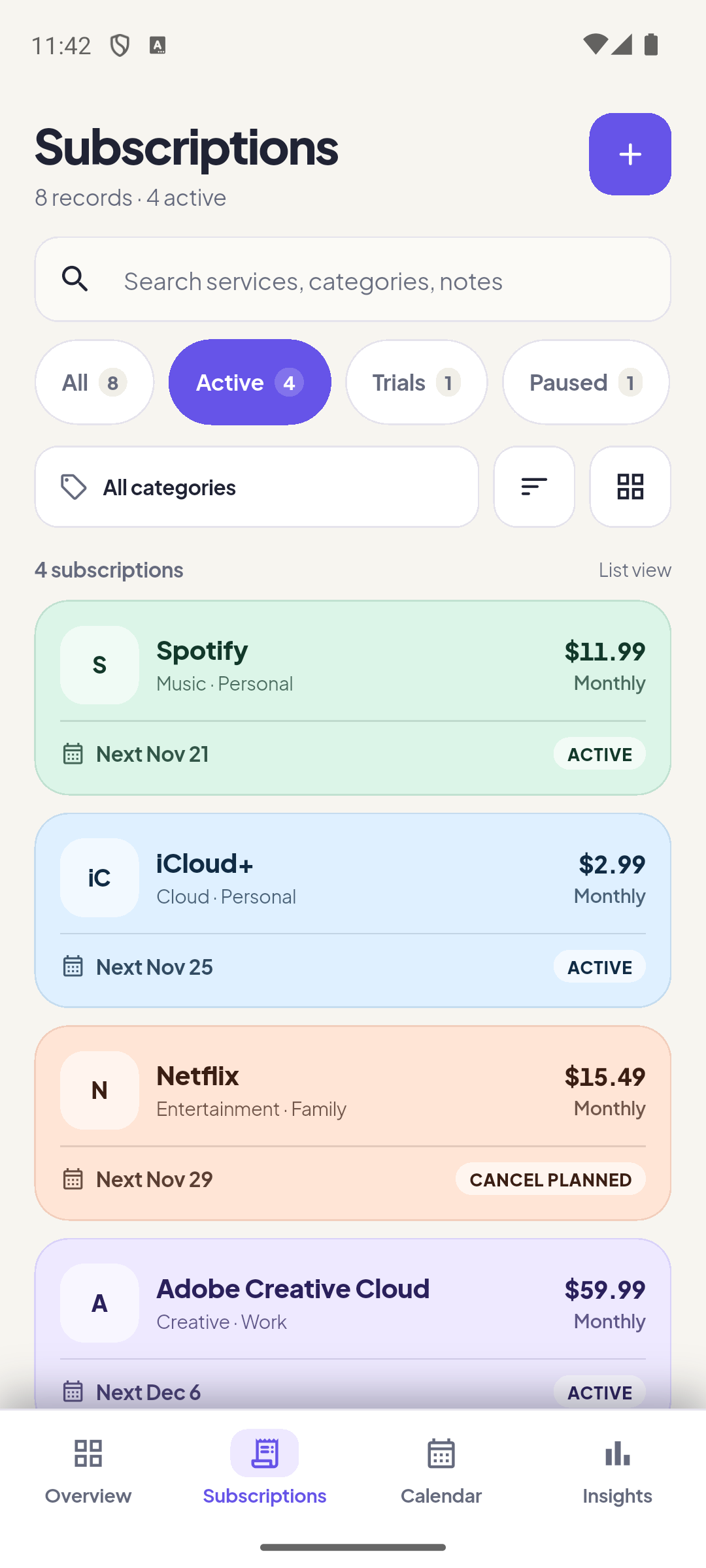
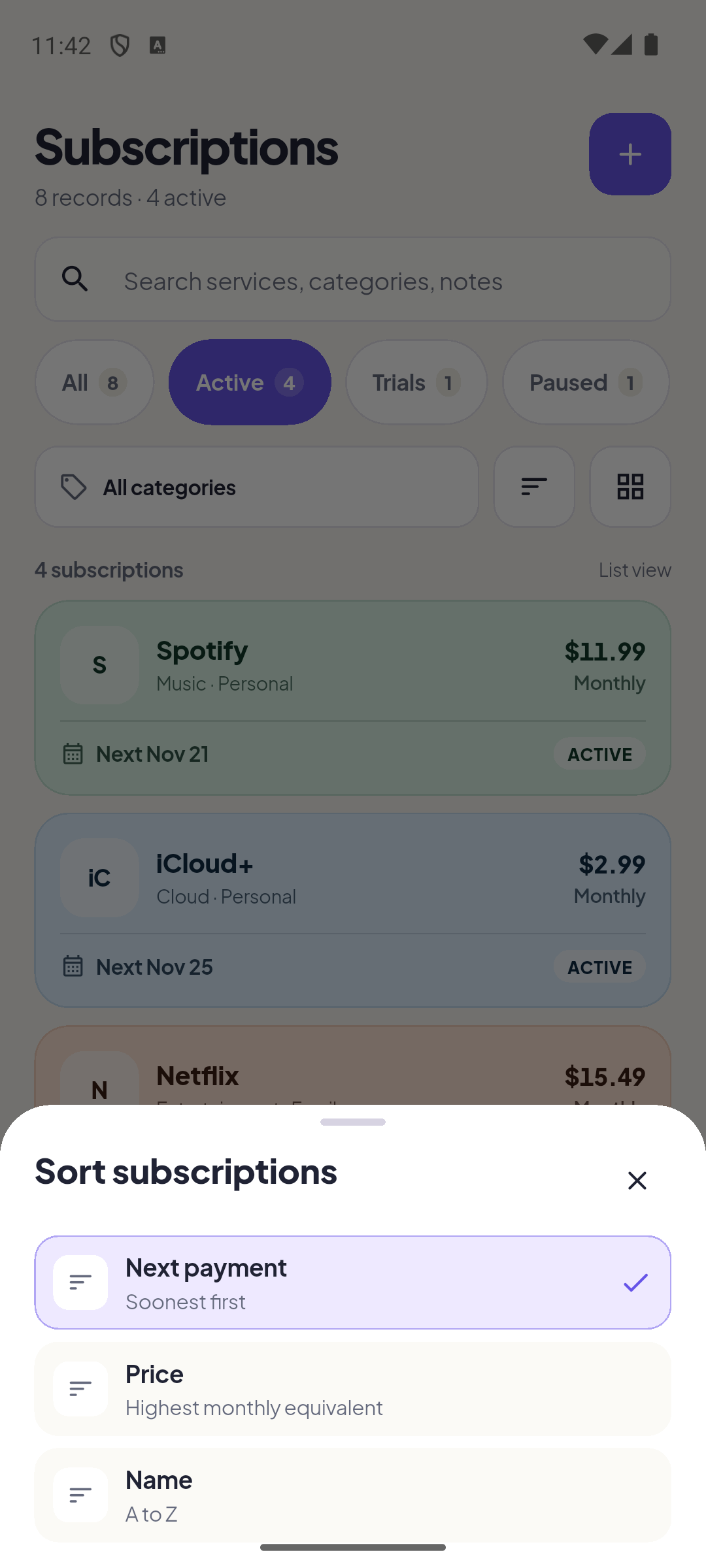
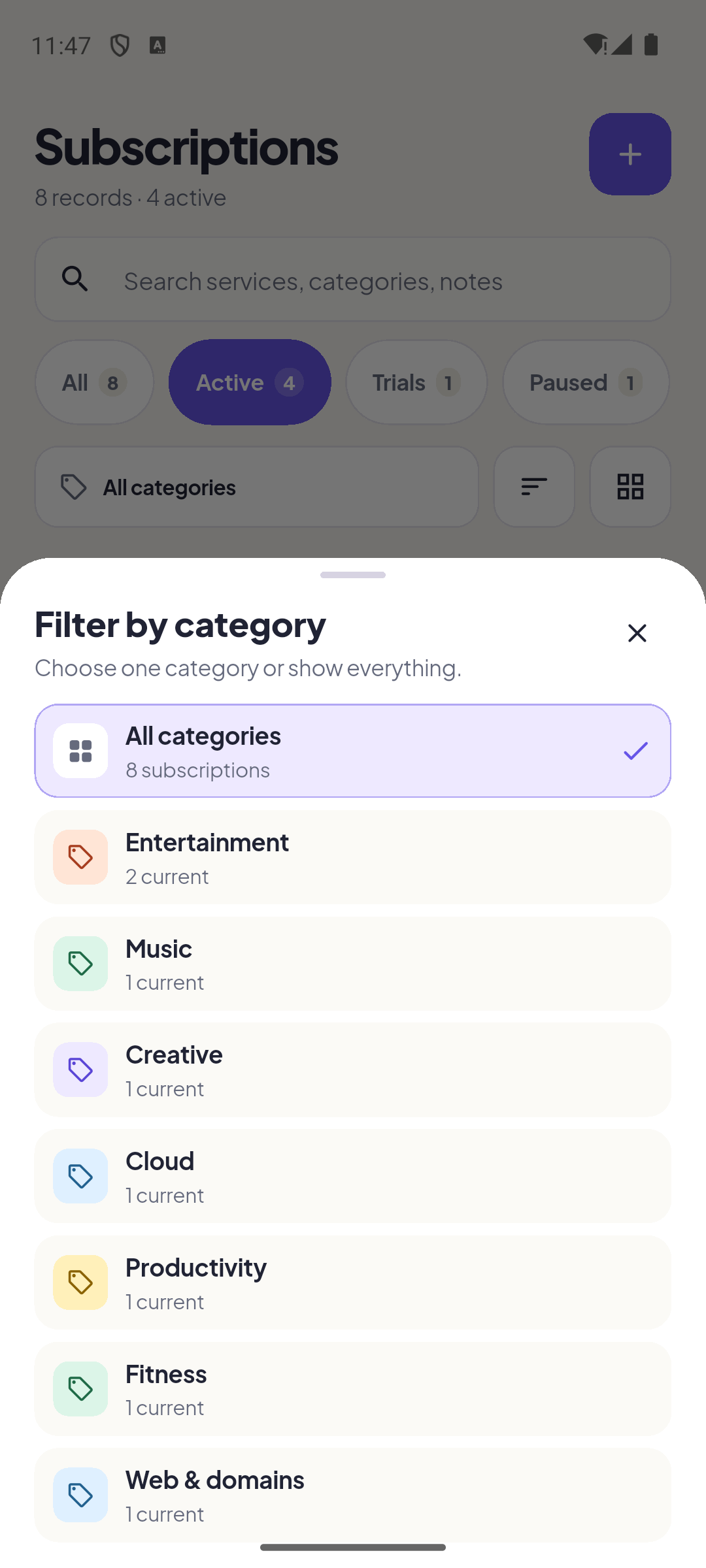
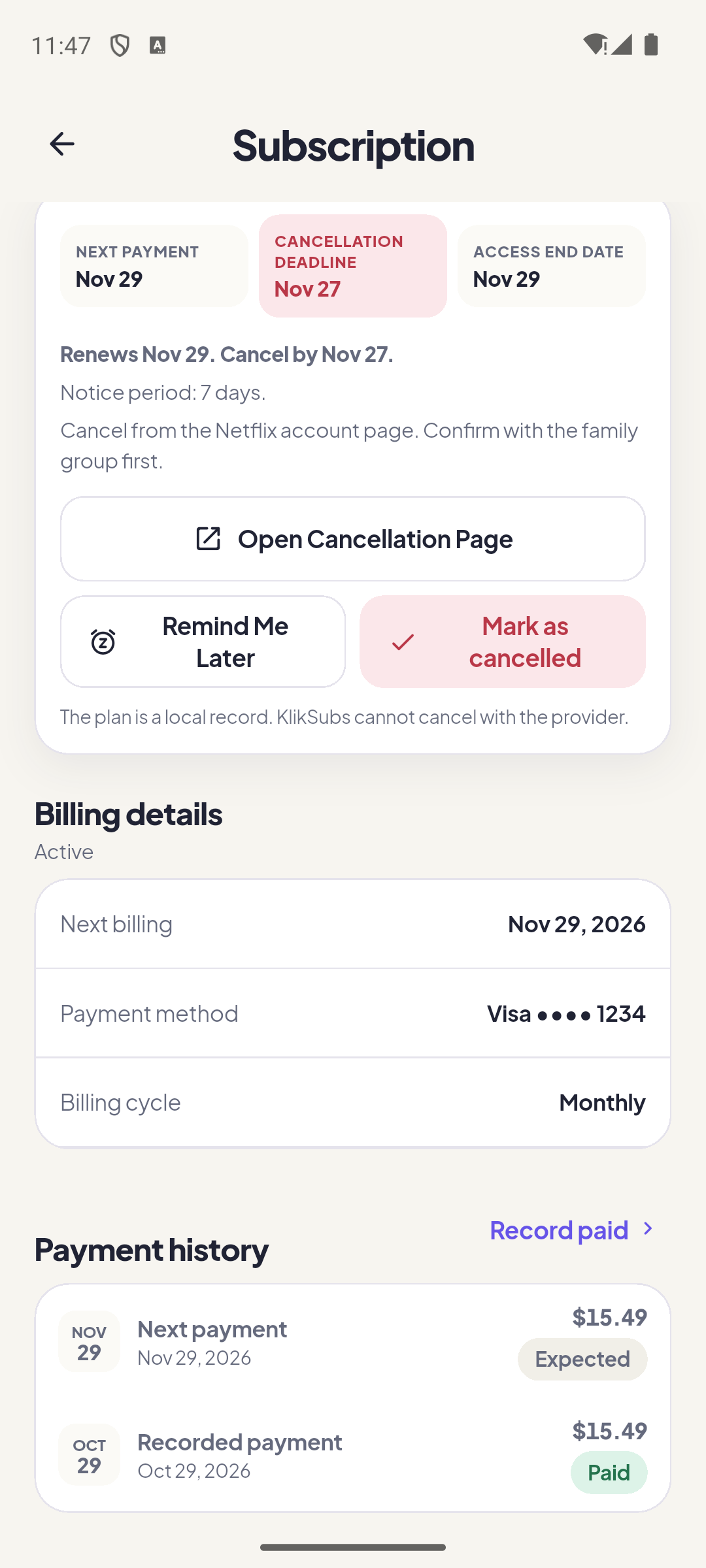
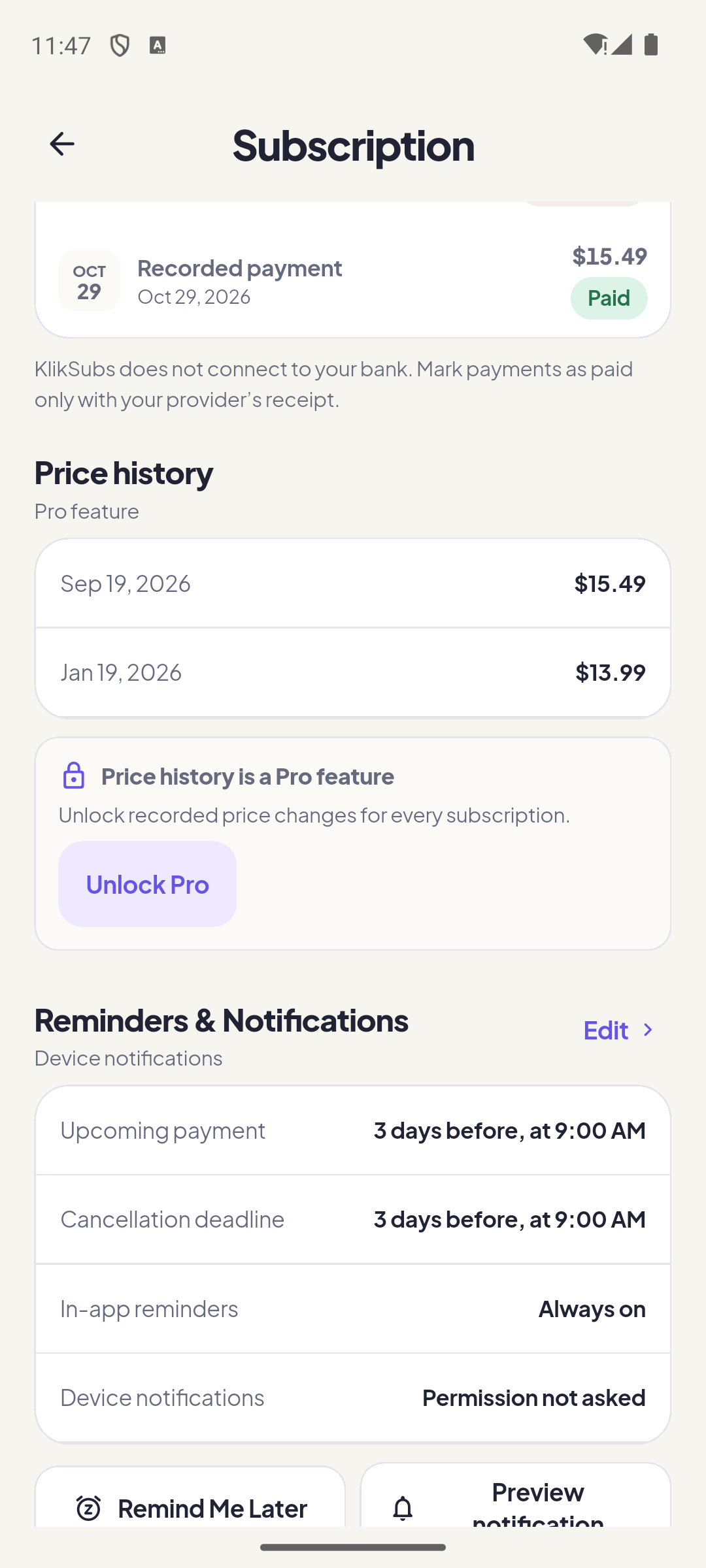
The Subscriptions tab lists every record with search, category filtering, and sorting. Tap a card to open the detail screen: billing terms, deadlines, payment history, price history, reminders, attachments, and the actions that change the record.
The detail screen
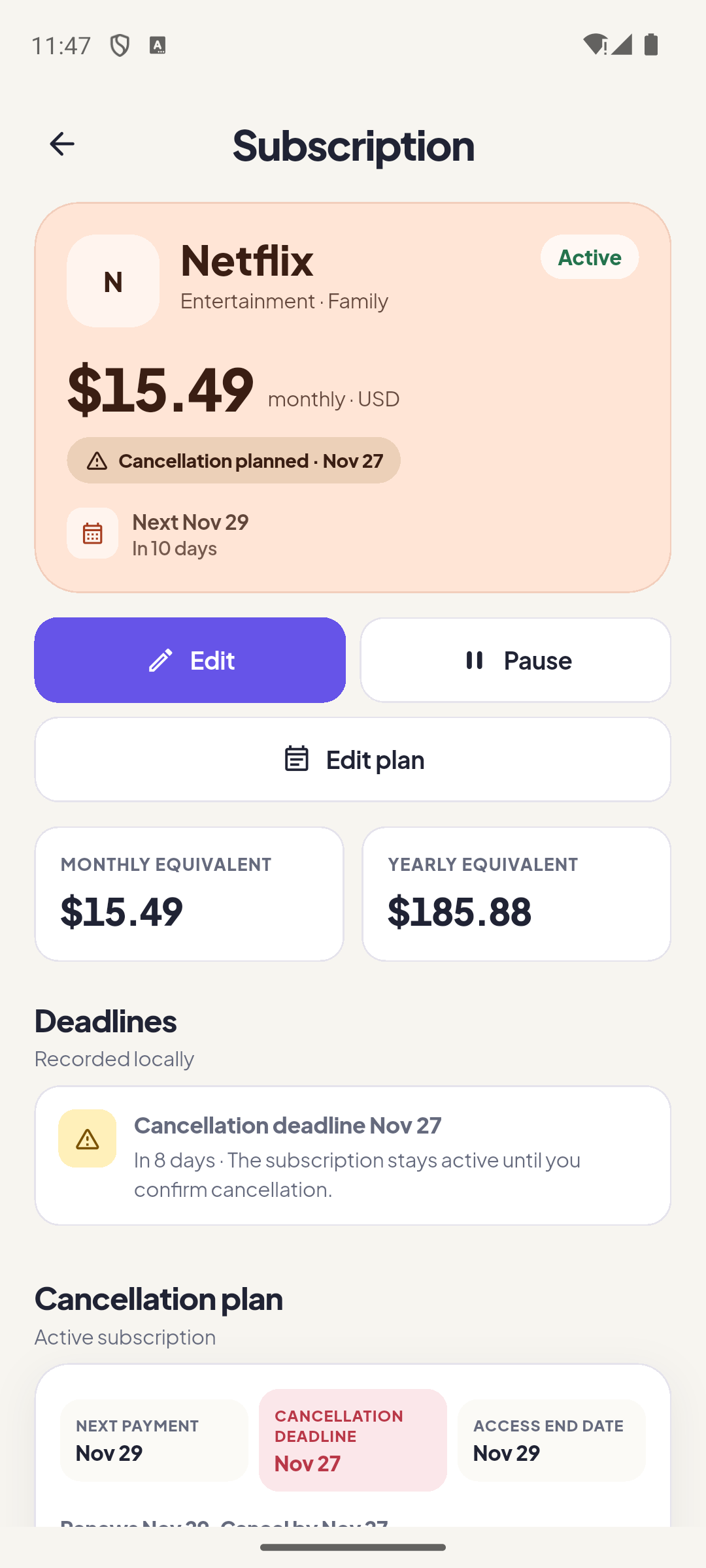
| Detail element | What it tells you |
|---|---|
| Next charge | The next expected payment and its date. When a trial is active, this becomes the expected first payment. |
| Monthly equivalent | The same normalized figure used on the Overview, for this plan only. |
| Status | Active, trial, paused, or cancelled. Pausing stops totals and reminders without deleting history. |
| Deadlines | Trial end, cancellation deadline, and contract end. Overdue deadlines are highlighted. |
| Payment history | Charges you recorded. Each record stores the amount and the exchange rate used at that moment. |
| Price history Pro | Past and scheduled price changes. A future change does not alter the current amount until its effective date. |
| Attachment Pro | The local invoice or contract file copied into app documents. |
| Notes | Free text stored with the record. |
Actions you can take
- Record as paid. Adds a payment to history. For foreign currencies it snapshots the rate and base amount at that moment; later rate refreshes never rewrite it.
- Pause / resume. Temporarily removes the plan from active totals and reminders without losing history.
- Cancel / reactivate. Marks the record cancelled. This is a local note: you still cancel with the provider.
- Edit. Opens the same form in edit mode. Changes stay local to the device.
- Delete. Removes the record permanently. Cancel is usually the better choice for history.
Every date that costs money, on one grid.
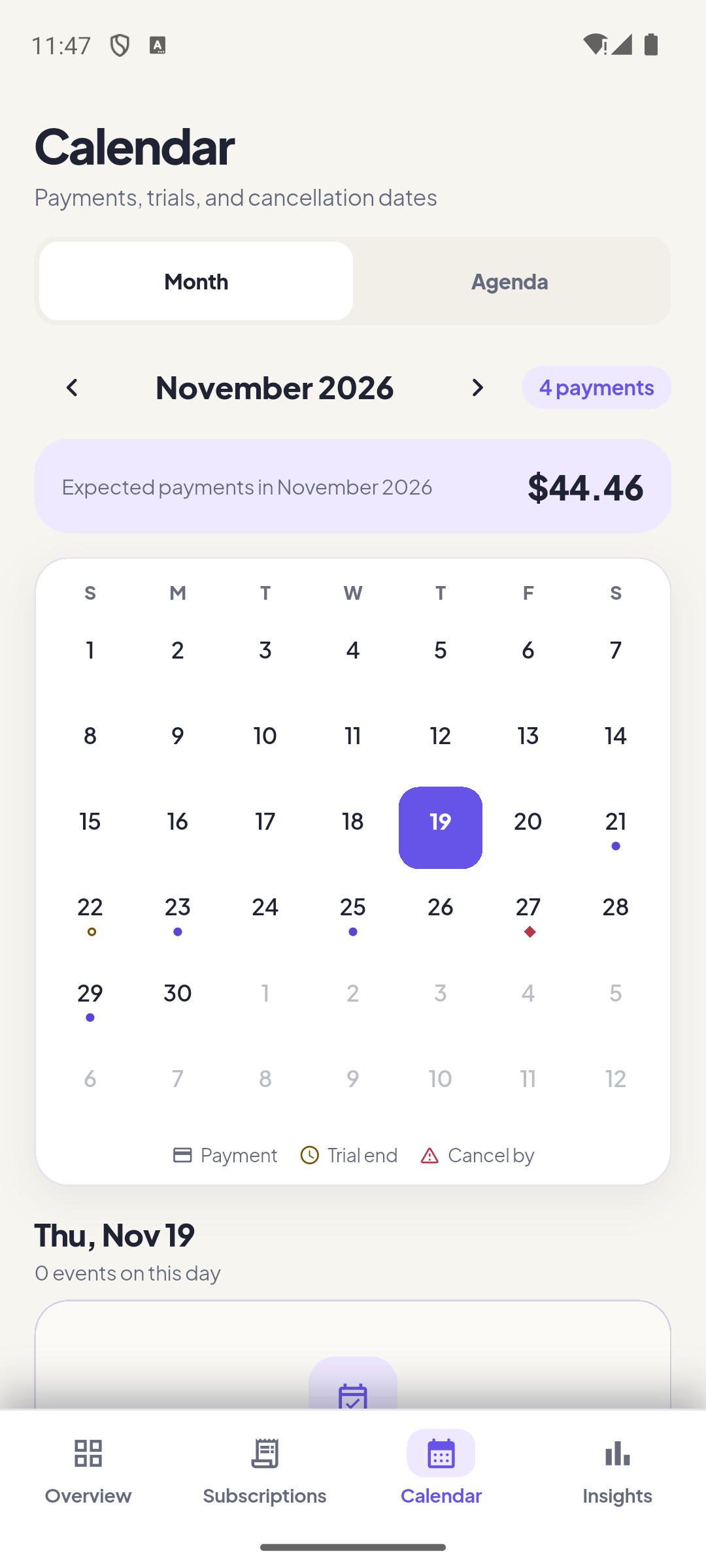
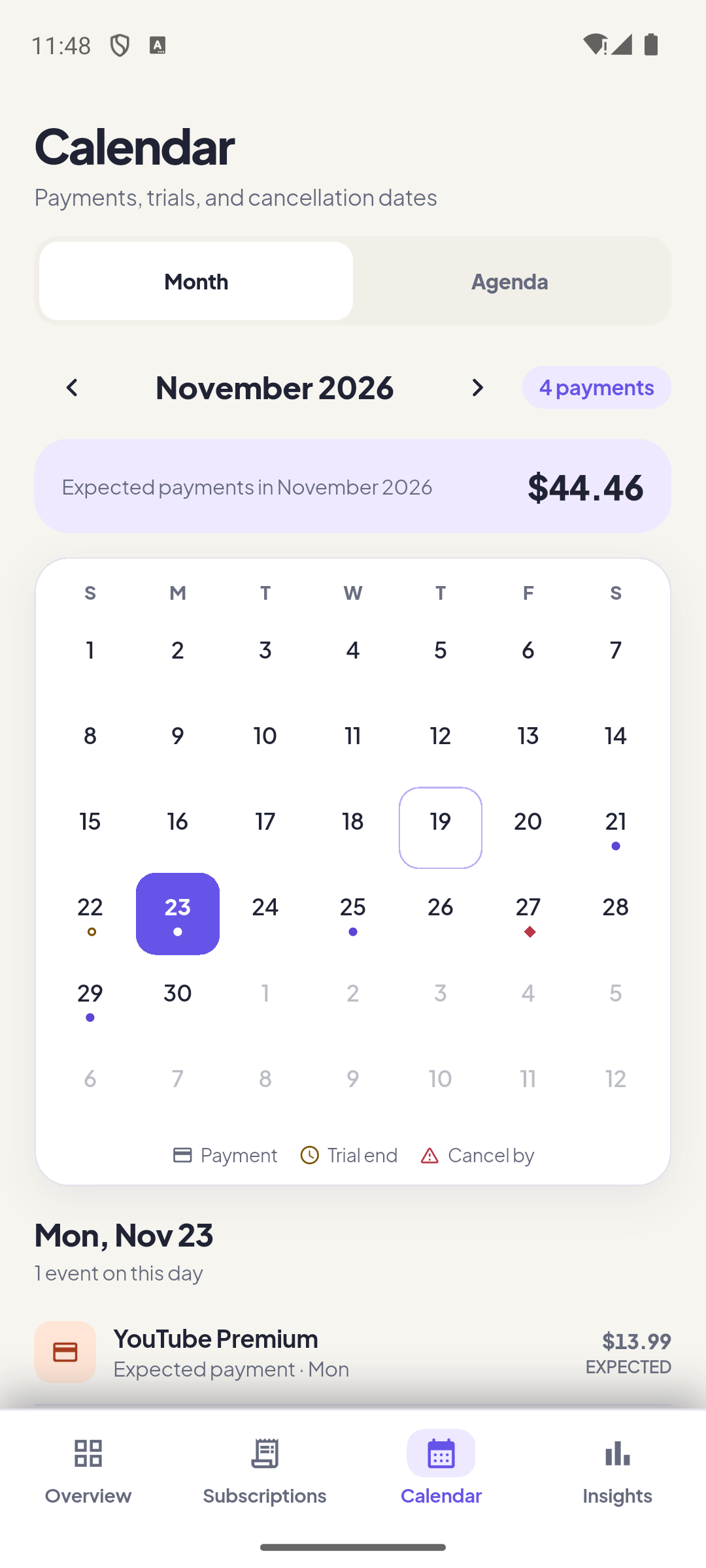
The Calendar mixes four event types: expected payments, trial ends, cancellation deadlines, and contract ends. Month view shows the grid; Agenda scans the next 45 days without flipping months.
| Event | Meaning |
|---|---|
| Expected payment | A charge scheduled on that civil date. It stays expected until recorded. |
| Trial end | The day a free trial finishes. If a first payment is expected, it is shown with the plan. |
| Cancellation deadline | The last day to cancel without another charge. |
| Contract end | The end of a recorded minimum term (Pro). |
| Agenda · Next 45 days | A chronological list of everything inside the 45-day window. |
Where the money actually goes.
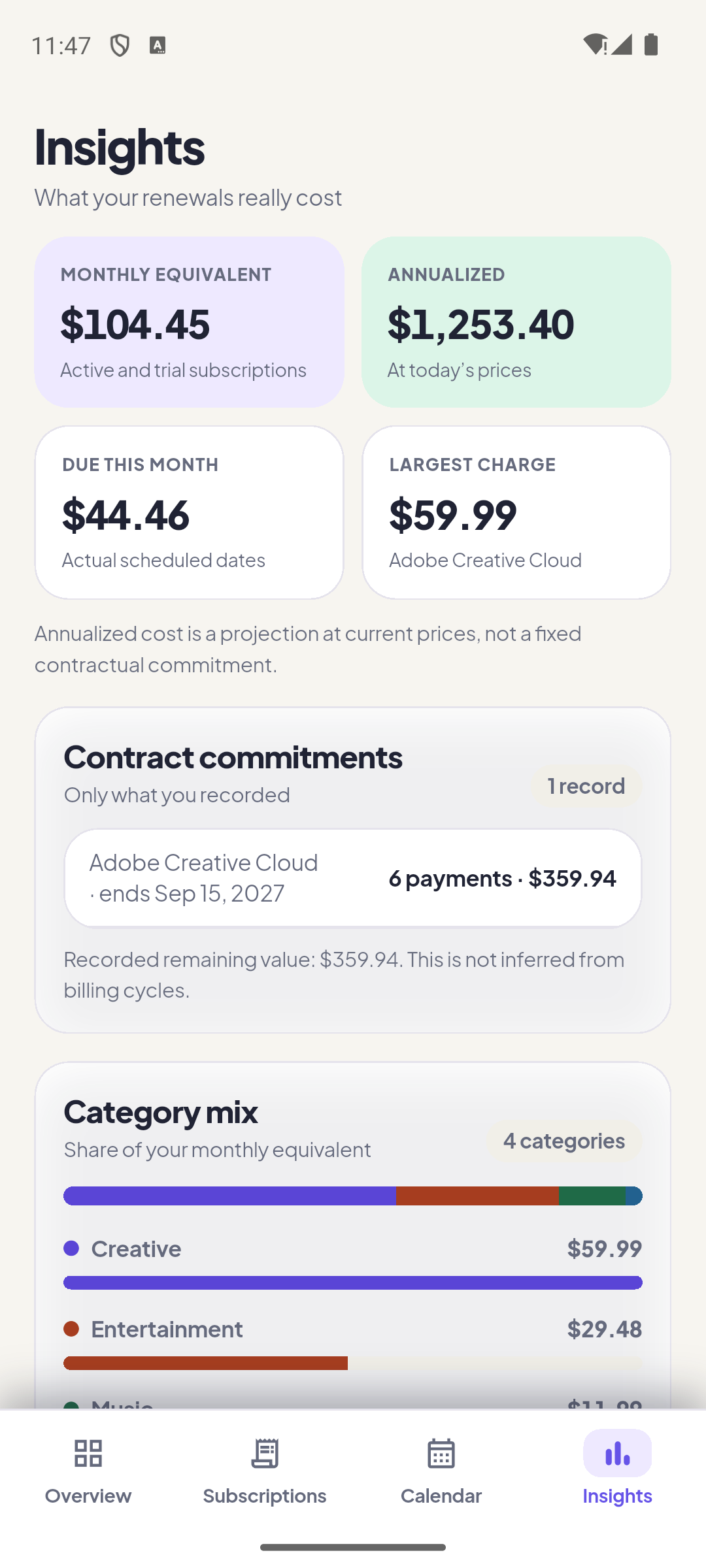
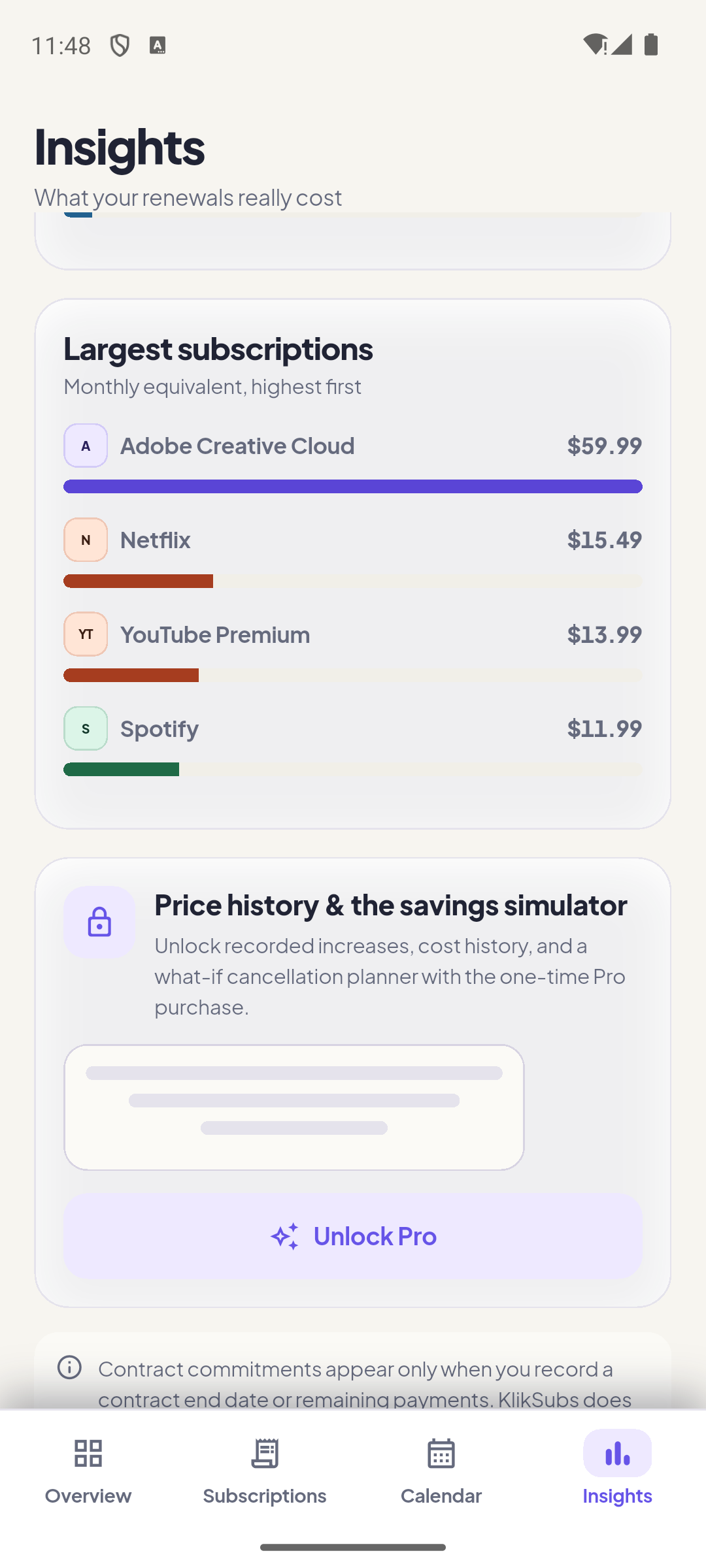
Insights separates four different questions: what you pay per month, what that becomes in a year, what is due this month, and what you are contractually committed to. They are deliberately not merged into one number.
| Card | Question it answers |
|---|---|
| Monthly equivalent | What does my current set of plans cost per month? Uses today’s prices. |
| Annualized | What is the yearly projection at current prices? Not a fixed contractual commitment. |
| Due this month | What is actually scheduled to leave my account this calendar month? |
| Largest charge | Which single plan is the biggest monthly equivalent? |
| Contract commitments Pro | Recorded remaining payments and end dates. KlikSubs never infers them from a billing cycle. |
| Category mix | The share of monthly equivalent by category. |
| Price increases Pro | Changes you recorded, so a quiet increase is visible. |
| Recurring cost over time | Recorded payments over six months. Needs history to draw. |
| What if I cancel? Pro | A preview only. Selecting a plan does not pause or cancel it. |
Two layers: in-app cards and OS notifications.
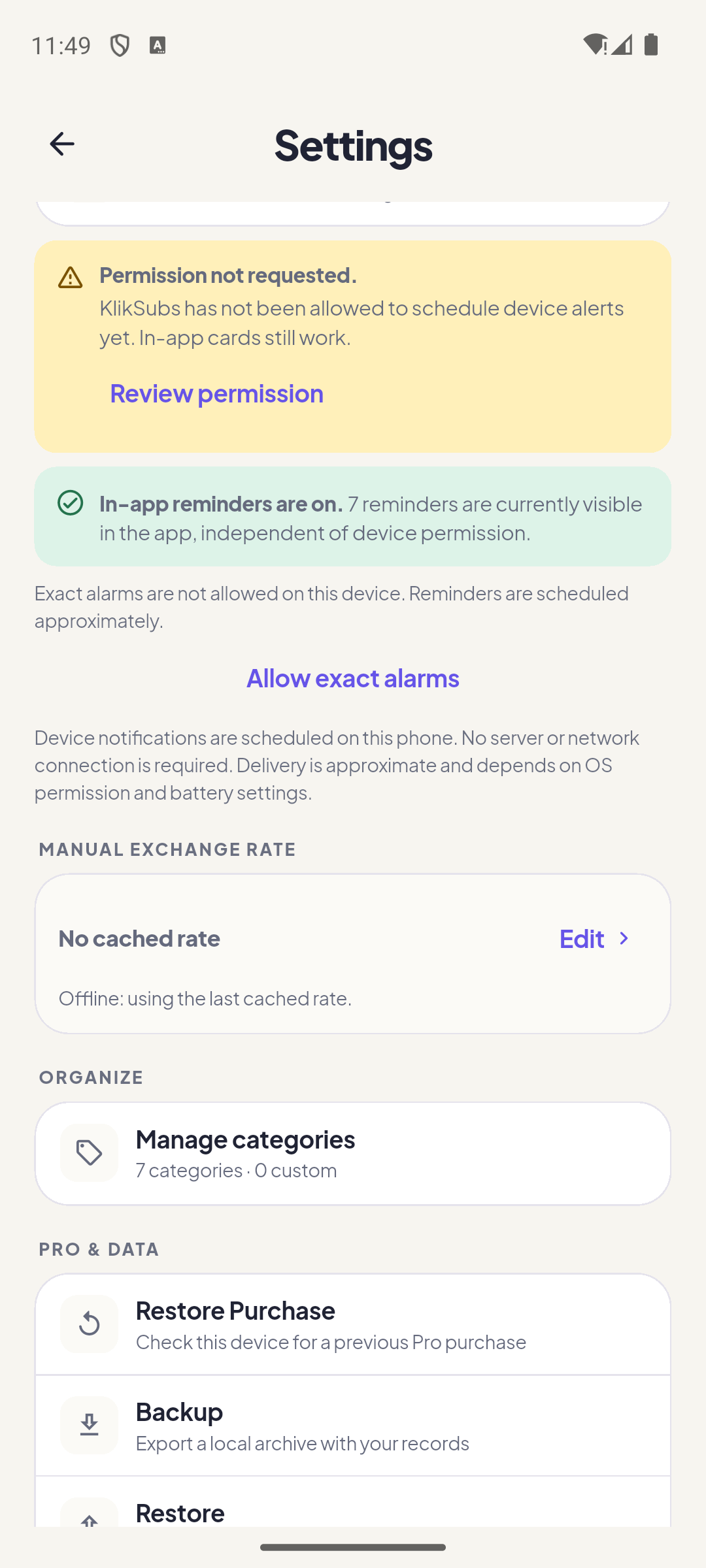
In-app reminder cards always work, even when notification permission is missing. Device notifications are scheduled by the phone and are the layer that can reach you when the app is closed. They need permission, and on Android, exact alarms for on-time delivery.
| Control | What it does |
|---|---|
| Device reminders | Master switch for OS-scheduled alerts. Does not stop in-app cards. |
| Permission | Android 13+ and iOS require notification permission. Settings shows Granted, Denied, or Not asked. |
| Exact alarms (Android) | Without this, Android may deliver reminders late. KlikSubs offers a shortcut to the system setting. |
| Default reminder | The advance days new subscriptions start with. |
| Default time | Used when a subscription has no custom time. |
| Test notification | Schedules one immediate test so you can confirm the OS path works. |
What gets a reminder
- Upcoming payment — before the next expected charge.
- Trial ending — before a free trial converts.
- Cancellation deadline — before the last day to cancel without another charge.
- Contract end — before a recorded minimum term ends (Pro).
One total, without inventing a rate.
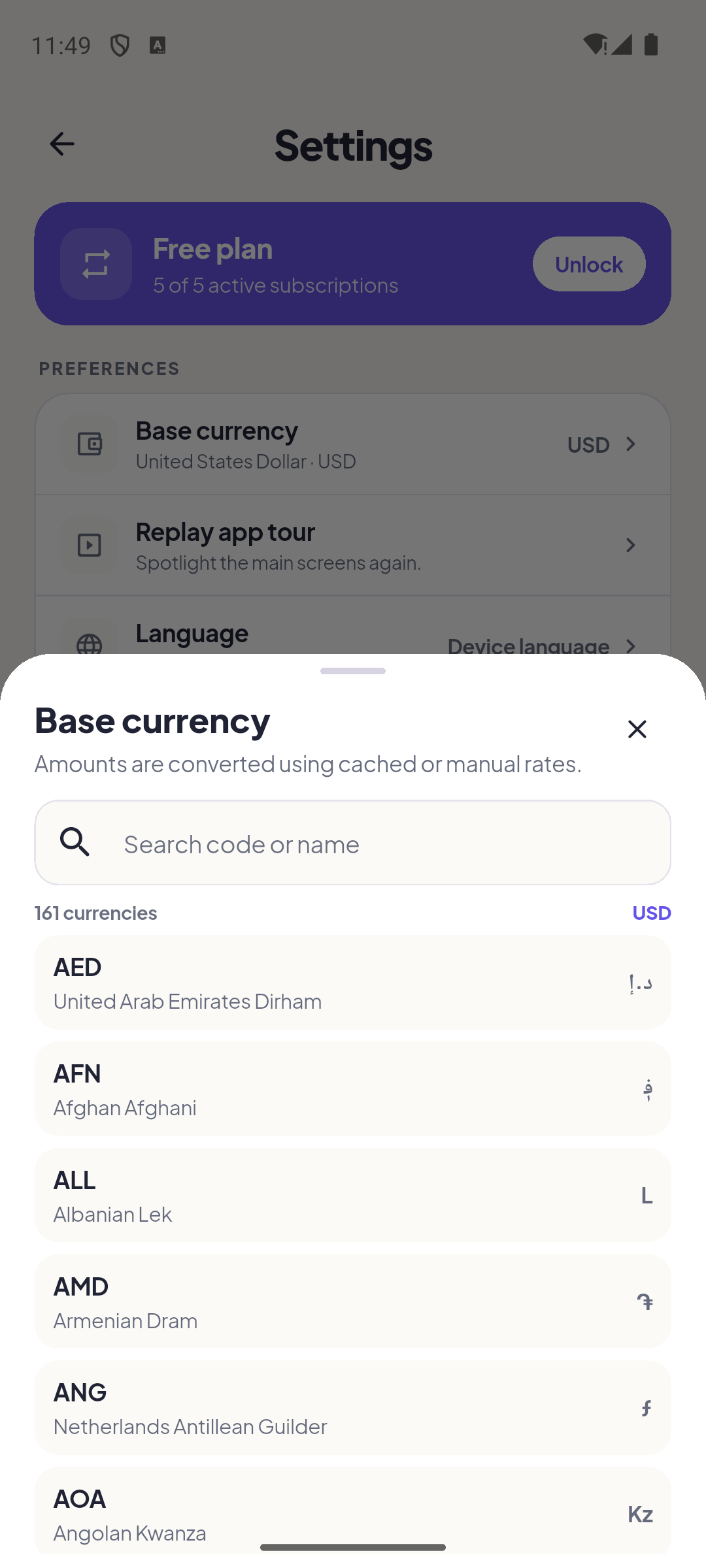
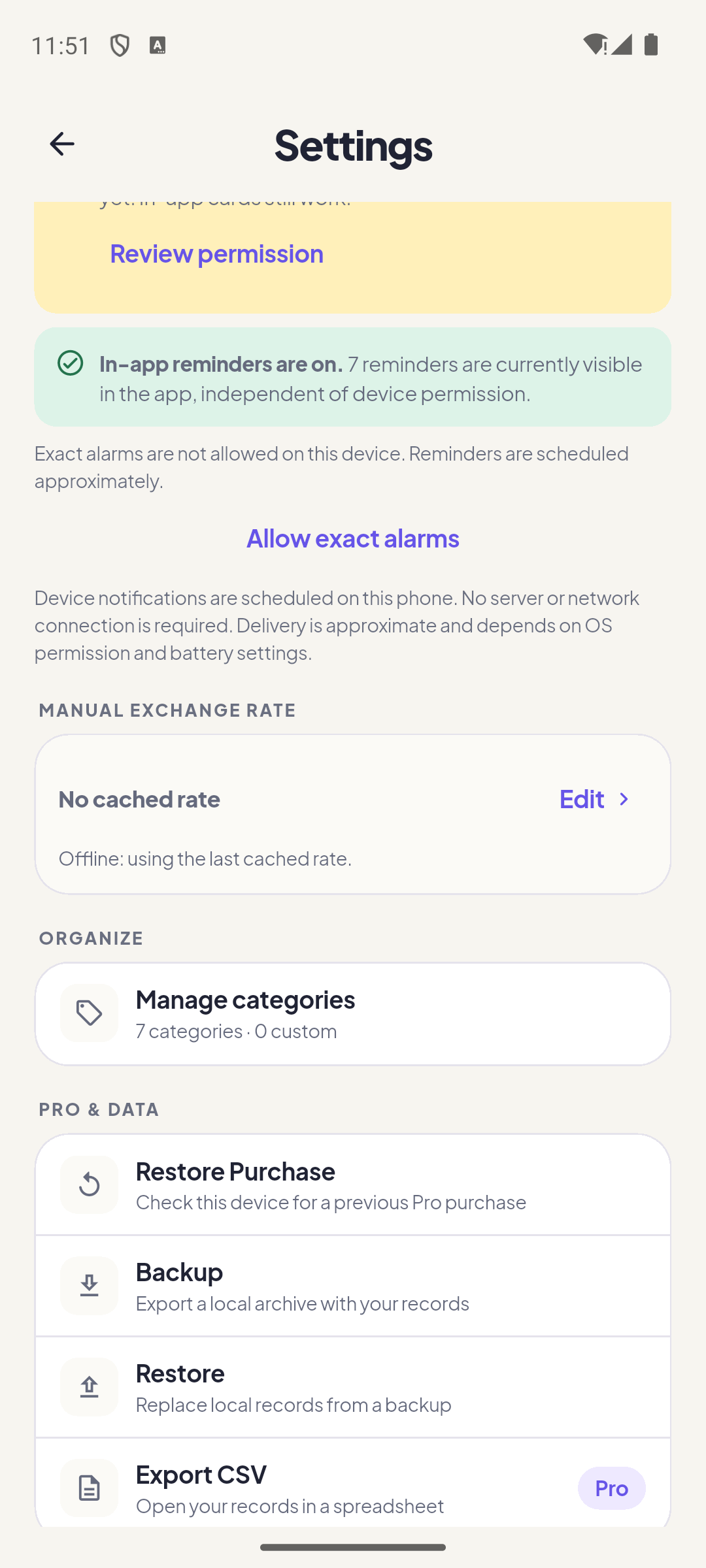
KlikSubs keeps every charge in its original currency and converts it into one base currency you choose. It uses Frankfurter v2 rates, caches them with a source date, and refuses to fake a conversion when a rate is missing. A total that cannot be completed is labelled partial.
| Concept | Behavior |
|---|---|
| Base currency | The reporting currency for totals. Changing it never rewrites a plan’s original amount. |
| Original amount | Kept exactly as entered, with its own ISO code and decimal count. |
| Frankfurter v2 | Fiat rates from api.frankfurter.dev. The request contains currency codes only, never subscription names or amounts. |
| Source date | Shown with the cached rate. A stale cache is labelled offline. |
| Refresh limit | Automatic refreshes are limited to once every six hours. |
| Manual rate Pro | Wins over a remote rate until you clear it. It is marked “Manual rate, not live”. |
| Partial total | A missing rate removes that plan from the completed sum and adds a note. Missing is never 1:1 and never zero. |
| Payment snapshot | Recording a payment stores the rate and base amount used at that moment. Later rates do not rewrite history. |
Every control in one list.
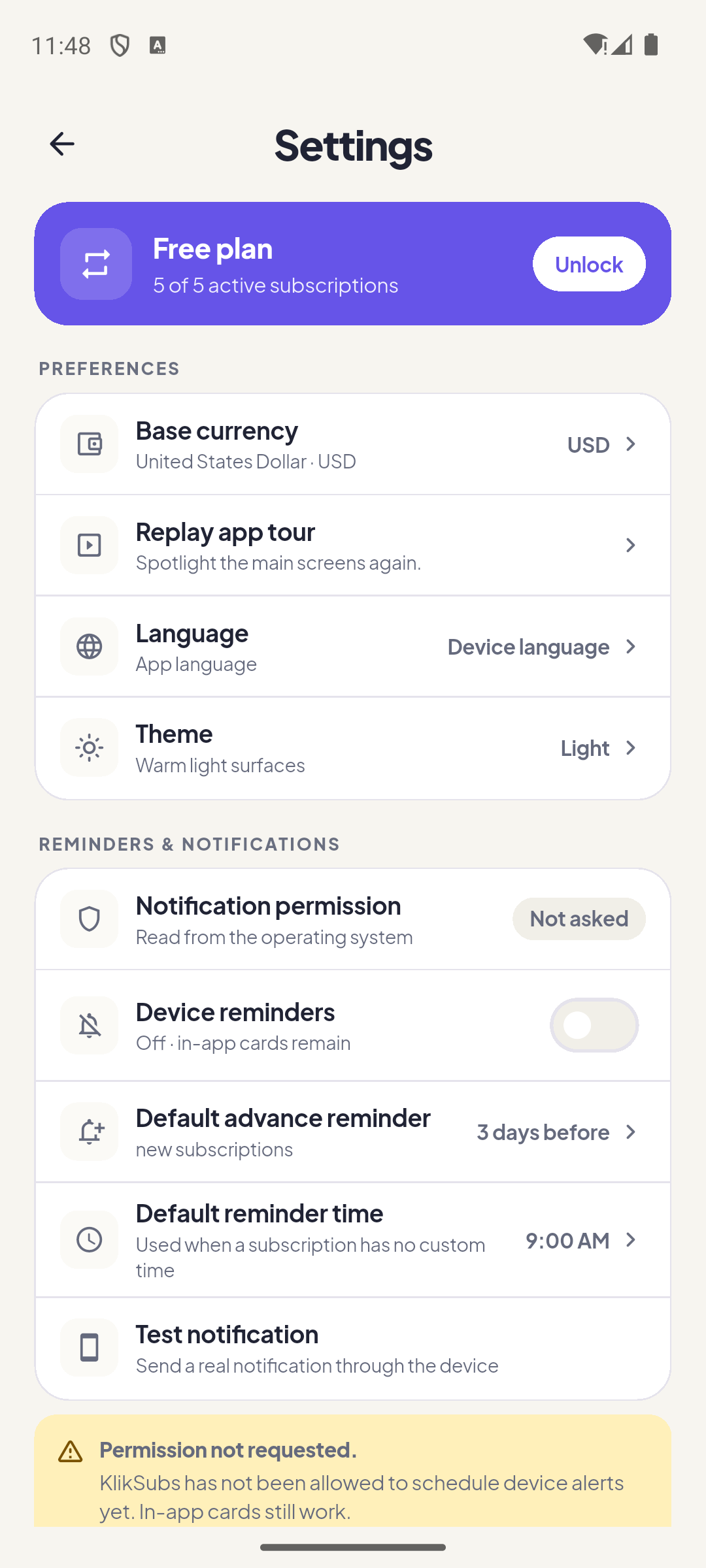
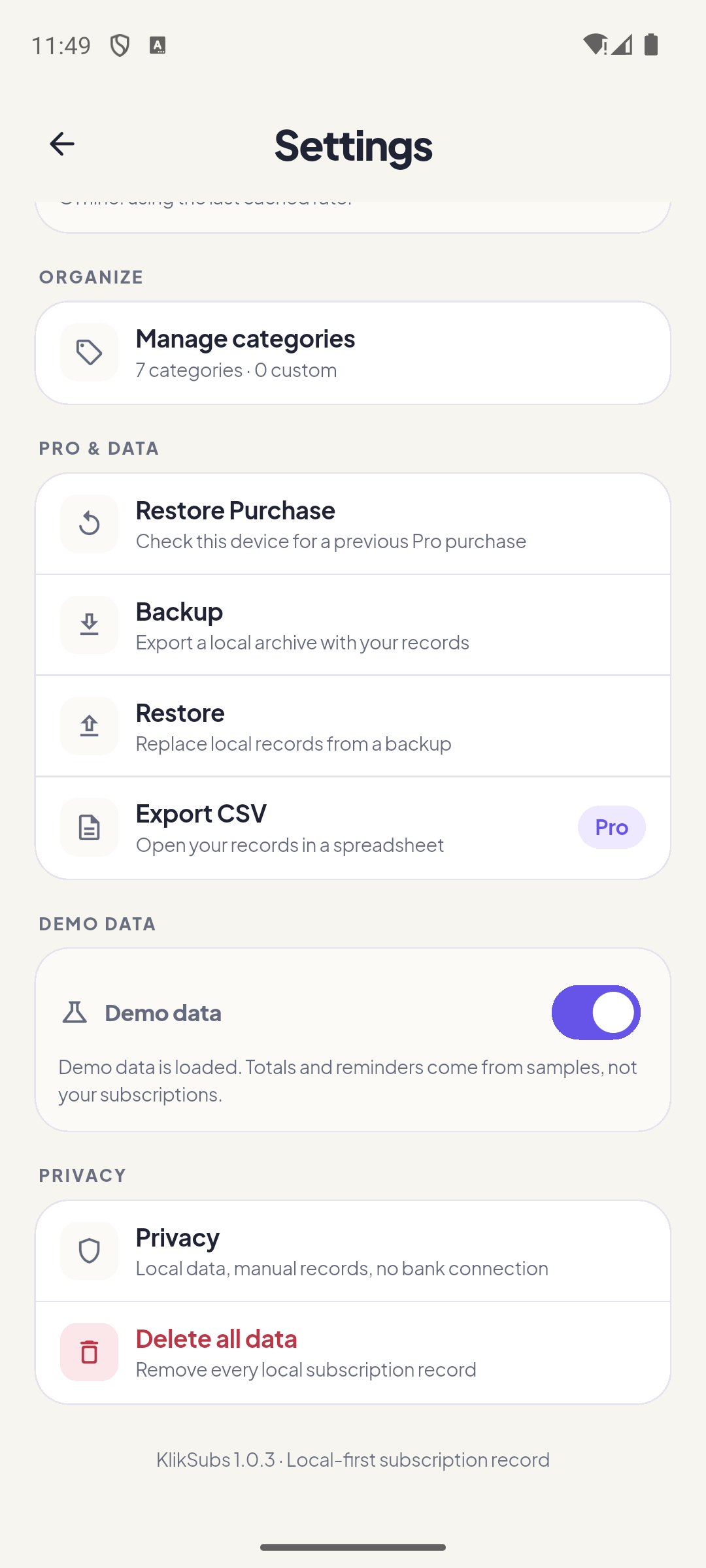
Settings is organized into Preferences, Reminders & notifications, Manual exchange rate, Organize, and Pro & data. The version line at the bottom is the fastest way to confirm which build you are running.
| Setting | What it does |
|---|---|
| Base currency | Changes the reporting currency for totals. Does not rewrite original amounts. |
| Manual exchange rate Pro | Edit or clear a manual rate. Shows the cached source date. |
| Appearance | System, light, or dark. |
| Language | 10 languages. The app follows the device by default. |
| Replay app tour | Runs the eight-step spotlight tour again. |
| Default reminder | Advance days for new plans. |
| Default time | Used when a plan has no custom time. |
| Categories | Built-in and custom categories. Custom categories are Pro. |
| Device reminders | Master OS notification switch. |
| Backup & restore | Local .kliksubs archive. See the next section. |
| Export CSV | One spreadsheet-friendly file with your records. |
| Demo data | Loads sample records marked as demo; remove them anytime. |
| Privacy | Explains local storage, manual payment history, and the no-bank link. |
| Delete all | Confirms, then removes local records. Not reversible without a backup. |
Your data is local. Treat the backup like it.
KlikSubs creates a local .kliksubs archive with subscriptions, history,
settings, categories, exchange rates, and — with Pro — attachments. There is no cloud
account and no automatic sync. If you lose the phone and the archive, the records are gone.
| Action | Details |
|---|---|
| Create backup | Writes a .kliksubs archive and opens the share sheet. Store it somewhere you control. |
| Include attachments Pro | Free backups omit attachment files. Pro includes them. |
| Restore | Validates the archive before replacing data. A malformed file is rejected instead of half-imported. |
| Pro status | Never imported from a backup. Pro follows the store account and the local entitlement, not the file. |
| CSV export | A spreadsheet-friendly export for analysis. It is not a full restore archive. |
One purchase. No subscription to track your subscriptions.
Pro is a one-time, non-consumable purchase. The price comes from the App Store or Google Play in your local currency; KlikSubs never hardcodes it. Entitlement is stored with the store receipt on the device, and Restore Purchase re-checks the store account.
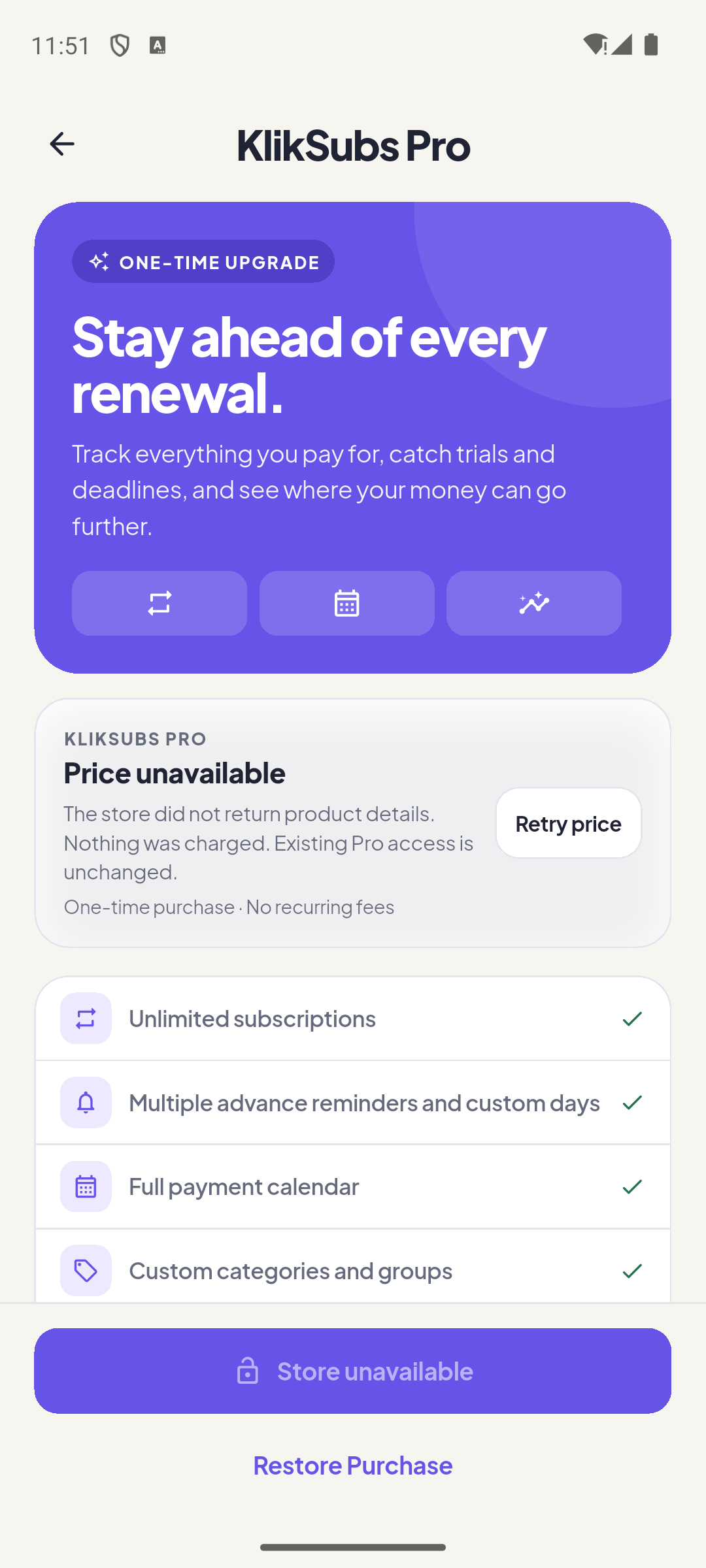
Unlimited records
No five-active-subscription limit.
Deeper reminders
Multiple advance reminders and custom days.
Per-plan currencies
Keep each plan in its own currency, not just the base currency.
Contracts & files
Contract end, remaining payments, and local attachments.
Price history
Record increases and future price changes.
Custom categories
Custom categories and groups for your own taxonomy.
Full backups
Attachments included in the archive.
No ads
Ad requests are disabled for Pro.
The question mark in the top-right corner.
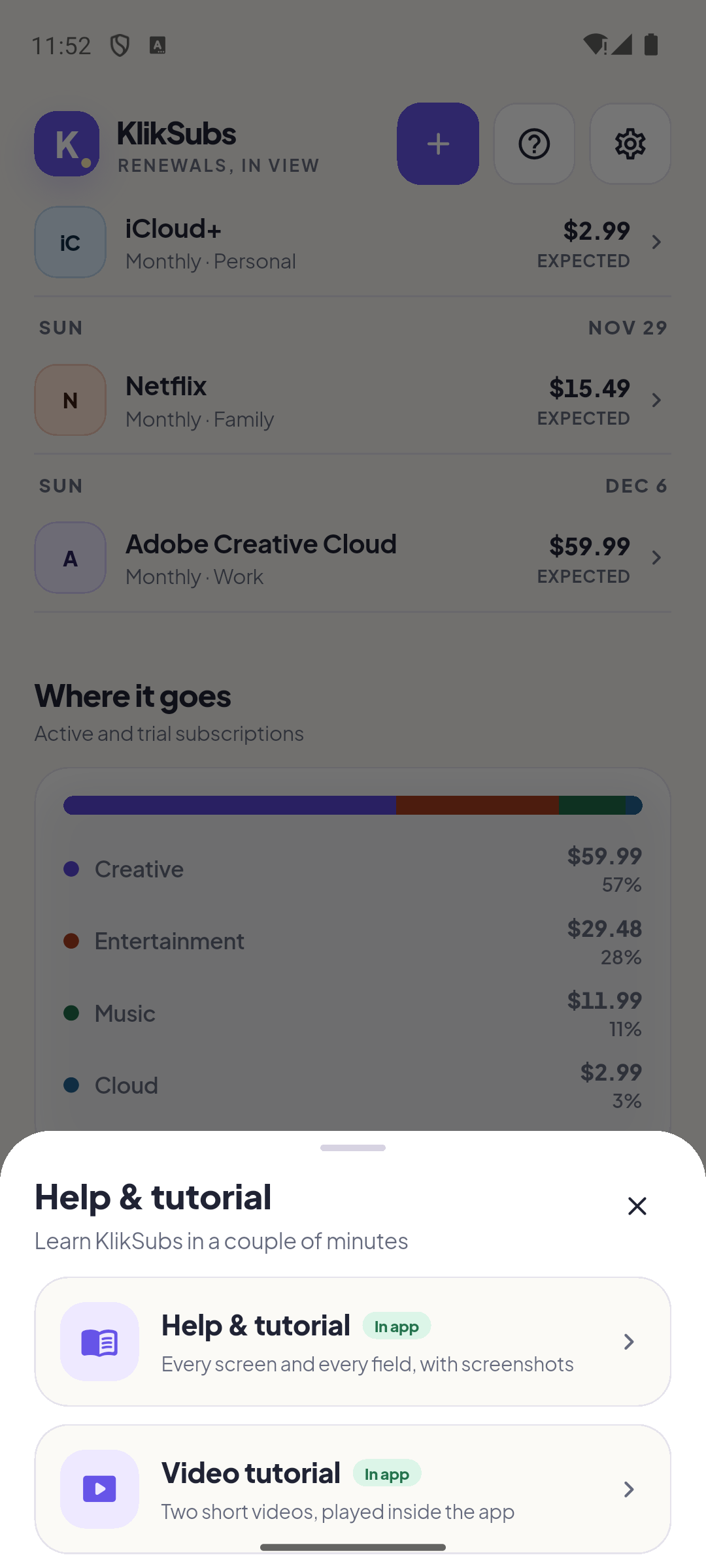
On the Overview, the ? button opens two options: this guide (rendered inside the app) and the video tutorials (played inside the app). Neither option sends you to a browser.
| Control | Behavior |
|---|---|
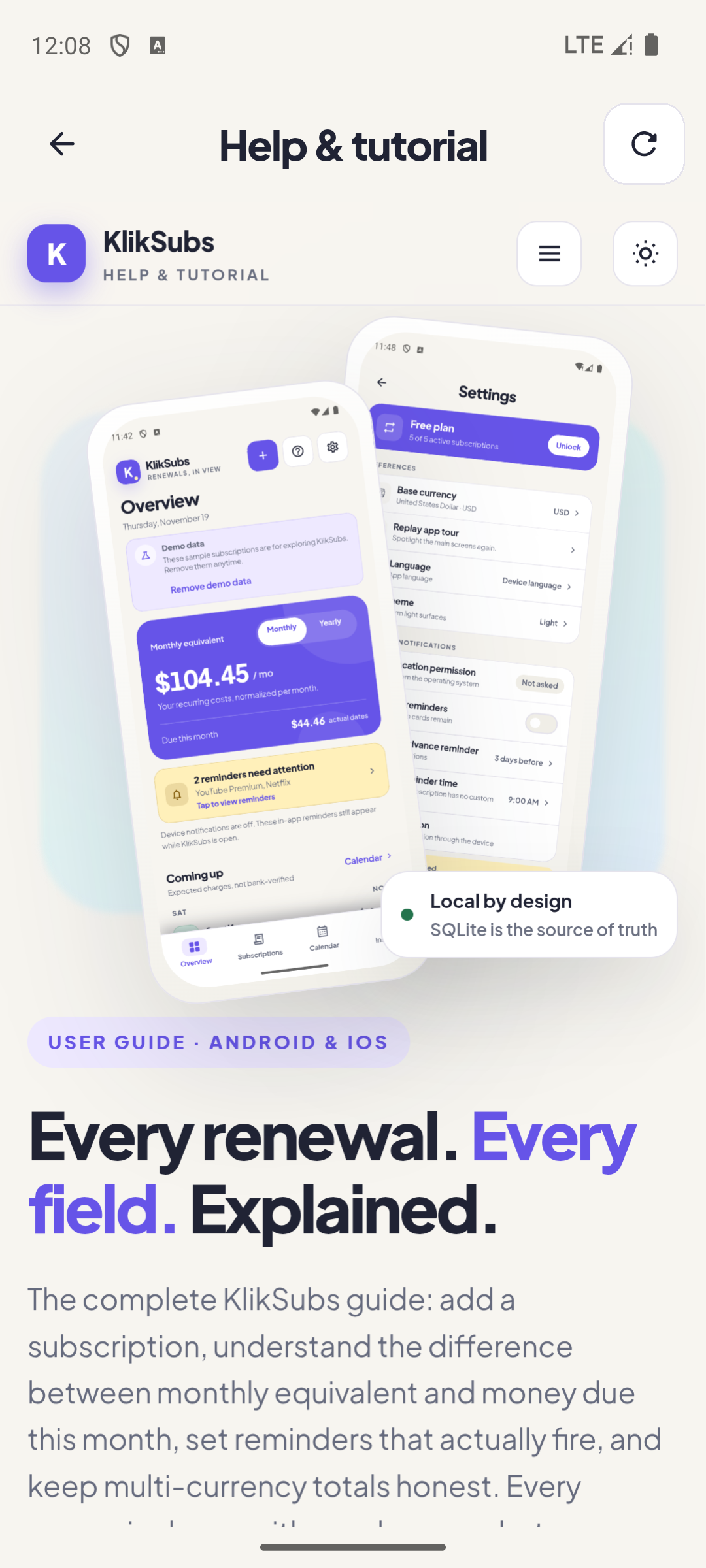
| Help & tutorial | Opens this guide in an in-app WebView. Needs an internet connection. |
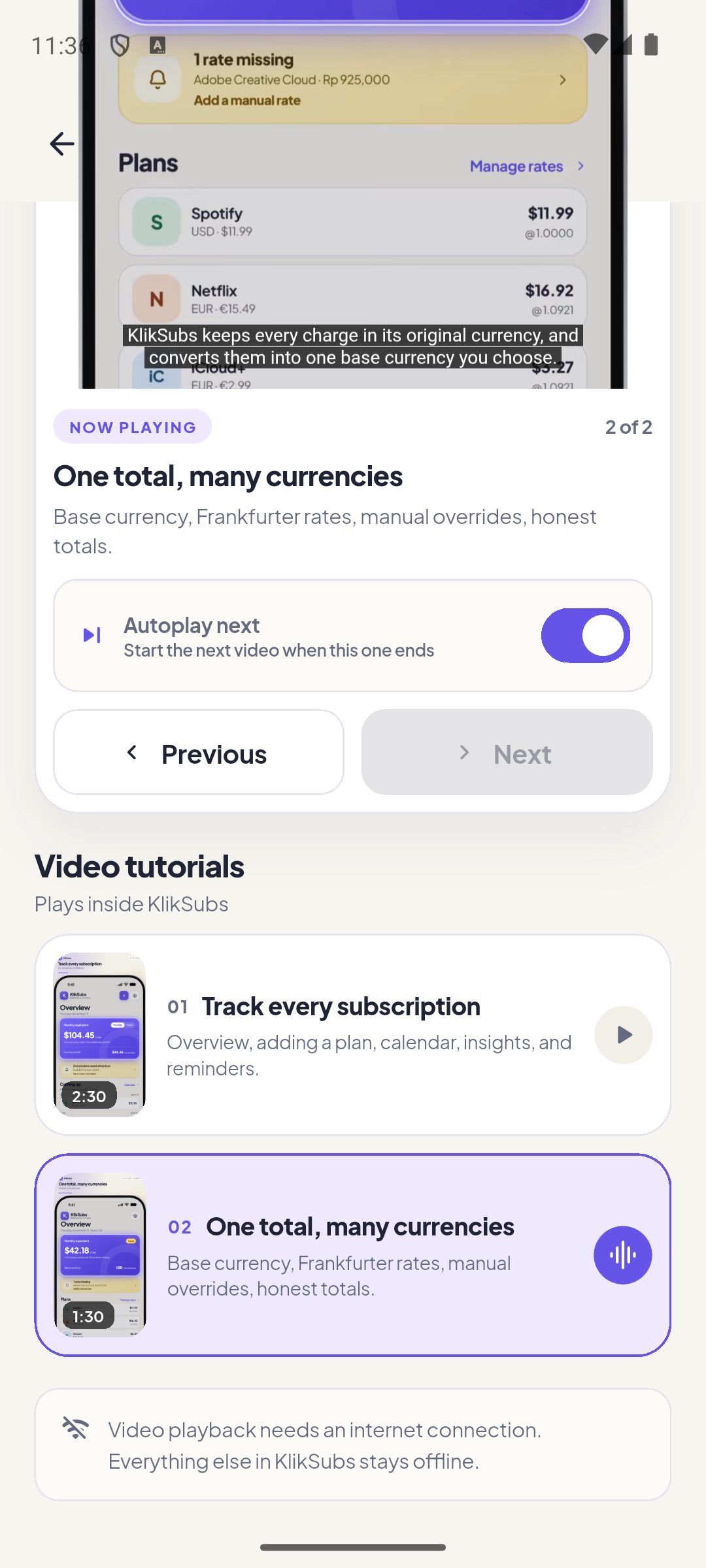
| Video tutorial | Opens the in-app player. Two videos, streamed from YouTube. |
| Autoplay next | When on, finishing a video starts the next one. On the last video it stops. |
| Previous / Next | Switch videos manually. Buttons disable at the ends of the playlist. |
| Fullscreen | The player’s own fullscreen button handles rotation and back navigation. |
When a number or a reminder looks wrong.
The most common questions are about totals that look incomplete and notifications that do not arrive. Both are deliberate, explainable behaviors.
Why is my total labelled “partial”?
At least one plan uses a currency with no cached or manual rate. KlikSubs removes that plan from the completed sum instead of inventing a rate. Add a manual rate in Settings (Pro) or refresh rates while online.
Why is “due this month” smaller than “monthly equivalent”?
Monthly equivalent is a normalized run-rate. Due this month counts only charges scheduled in the current calendar month. A yearly plan that renews in March contributes to the run-rate but not to November’s due total.
Why didn’t a notification arrive?
Check three layers: notification permission, Android exact alarms, and battery optimization. In-app reminder cards can still work while device notifications are blocked. Use the test notification in Settings to isolate the problem.
Does KlikSubs connect to my bank?
No. There is no bank connection and no account. Payment history is manual. “Expected” means scheduled, not verified.
Can KlikSubs cancel a subscription for me?
No. It records a cancellation deadline, a cancellation URL, and a “Cancellation planned” state. You still cancel with the provider.
I hit five active subscriptions on Free. What happens?
The form is preserved, but saving is blocked. Pause or cancel a plan, or unlock Pro for unlimited records. Paused and cancelled records do not count toward the limit.
Why did a renewal date move to the 28th?
KlikSubs stores civil dates and preserves end-of-month anchors. A plan on the 31st becomes the last day of shorter months instead of silently sliding into the next month.
How do I move my data to a new phone?
Create a backup archive on the old phone, move the file, then restore it on the new one. Pro status is never imported from a backup; it follows the store account.
Why does the help page or video not load?
Both need an internet connection. The guide is served from Cloudflare Pages and the videos stream from YouTube. The rest of the app stays usable offline.
Is the UI in the videos a screen recording?
No. The videos use an authored reconstruction of the app’s screens. The screenshots in this guide are real captures from the Android build.
Every field, grouped by where it lives.
A compact lookup table for when you already know the screen and just need the exact meaning of a field.
| Field | Where | Meaning |
|---|---|---|
| Service name | Add / Edit | Display name used everywhere. |
| Card color | Add / Edit | Service tone used for icons and cards. |
| Amount | Add / Edit, Detail | Price in the plan’s currency. Must be > 0. |
| Currency | Add / Edit | Original billing currency. Base currency on Free; any currency on Pro. |
| Billing cycle | Add / Edit | Weekly, monthly, quarterly, yearly, custom months. |
| Next billing | Add / Edit | Next expected charge date; civil date with end-of-month anchor. |
| Category | Add / Edit, filters, Insights | Groups plans for the category mix. |
| Group | Add / Edit | Personal, Family, Work, or custom (Pro). |
| Payment method label | Add / Edit | A label only; no card numbers or CVV. |
| Status | Add / Edit, Detail | Active, trial, paused, cancelled. |
| Reminder type | Add / Edit, Settings | Payment, trial, cancellation, contract. |
| Advance days | Add / Edit | 0/1/3/7/14 or custom (Pro). |
| Notification time | Add / Edit, Settings | Local time for the OS alert. |
| Free trial end | Add / Edit | When the trial converts; becomes the first payment date. |
| Expected amount after trial | Add / Edit | The charge expected at conversion. |
| Cancellation deadline | Add / Edit, Calendar | Last date to cancel without another charge. |
| Contract end | Add / Edit, Calendar, Insights | End of a recorded minimum term (Pro). |
| Remaining payments | Add / Edit, Insights | Recorded count; never inferred (Pro). |
| Attachment | Add / Edit, Detail | Local invoice or contract copy (Pro). |
| Notes | Add / Edit, Detail | Free text for the record. |
| Cancellation URL | Add / Edit, Detail | Full http(s) link to the provider’s page. |
| Base currency | Settings | Reporting currency for totals. |
| Manual rate | Settings | Overrides a remote rate until cleared (Pro). |
| Default reminder / time | Settings | Starting values for new plans. |
| Backup archive | Settings | Local .kliksubs file; attachments Pro. |
| CSV export | Settings | Spreadsheet export, not a restore file. |